For readers researching hi3d, this review compares Tripo AI with SupaVoxel on credit costs, generation speed, pricing visibility, predictability, and access to key features.
Independent review. I ran both tools on my own accounts, free and paid, with no vendor-provided access or early access of any kind.
My verdict in 60 seconds — Tripo 57/100, SupaVoxel 91/100
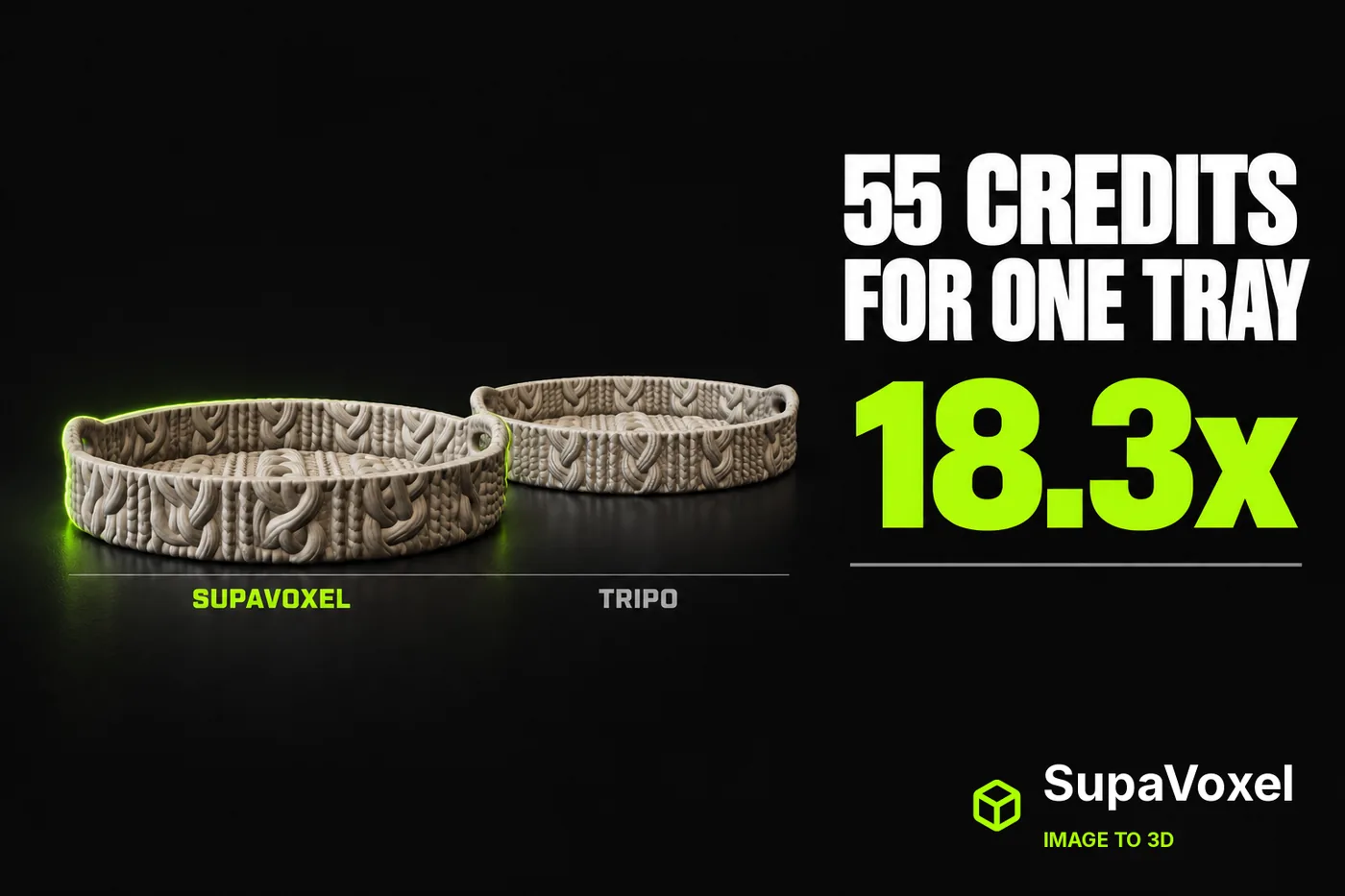
One photograph of a cable-knit decorative tray, run once through Tripo and once through SupaVoxel on defaults. Tripo charged 55 credits. SupaVoxel charged 3. That is 18.3×, same object, same day, same input file. Tripo does not quote the price until after you upload — the button is a bare arrow beforehand and only becomes "Generate 55" once the file is in. Wall clock does not rescue the price: SupaVoxel came back 41 seconds sooner on this tray, and was the faster of the two on seven of the ten objects I ran. What Tripo has instead is predictability, and that row gets the full treatment below. Everything else on the meter reads the same way: 5,500 credits against 300 for a hundred, and $54.07 against $4.85 of CDN per ten thousand loads.
- Credits for this tray — Tripo 55 · SupaVoxel 3 · 18.3×
- Price shown before upload — Tripo no, bare arrow · SupaVoxel yes, "Generate (3 credits)" · you commit before you are quoted
- Charge timing — Tripo on submit, balance 845 → 790 mid-generation · SupaVoxel not captured
- Toggles locked behind Trial / Members Only — Tripo 3 (Clean Topology ×2, Generate in Parts ×1, 8K Texture ×1) · SupaVoxel 0
- Batch of 100 — Tripo 5,500 credits · SupaVoxel 300 · 5,200 saved
- Wall clock, this tray — SupaVoxel 127.6 s · Tripo 169.0 s · SupaVoxel 41 s sooner
- Usually faster, across the ten objects — SupaVoxel 7 of 10, median 133.6 s · Tripo 3 of 10, median 163.5 s
- More predictable, across the same ten — Tripo 135–189 s, a 54 s spread · SupaVoxel 100.2–867.4 s, a 767 s spread
- CDN per 10,000 loads — Tripo $54.07 · SupaVoxel $4.85 · $590.60 a year apart
Five things that decide this case:
- Tripo charges on submit. The balance moved 845 → 790 while the card still read "Generating… 103s" — the 55 credits are gone before you have seen anything.
- The one Tripo switch that speaks to the defect in this file, Clean Topology, is badged Trial ×2, off by default. This run left it off, and Tripo's model has inconsistent face winding.
- The 52 extra credits did not buy speed on this object: SupaVoxel came back in 127.6 s and Tripo took 169.0 s. What they bought was a watertight shell — real, and covered in the print article — plus 57.90 MB and a normals repair on arrival.
- A hundred trays is 5,500 credits on Tripo and 300 on SupaVoxel — the largest single gap in this comparison.
- SupaVoxel's bill has losses too, and the clock is one of them in a way the median hides: its worst run of the ten took 867 s, more than four and a half times Tripo's worst of 189 s. Its file also needs heavier mesh repair than Tripo's. The full ledger is at the end and I do not net it out in either direction.
For one tray you want printed tonight as a closed solid, Tripo's file needs less mesh surgery. For a budget, a batch, or anything with a bandwidth line item, SupaVoxel.
What the two buttons say before you upload anything
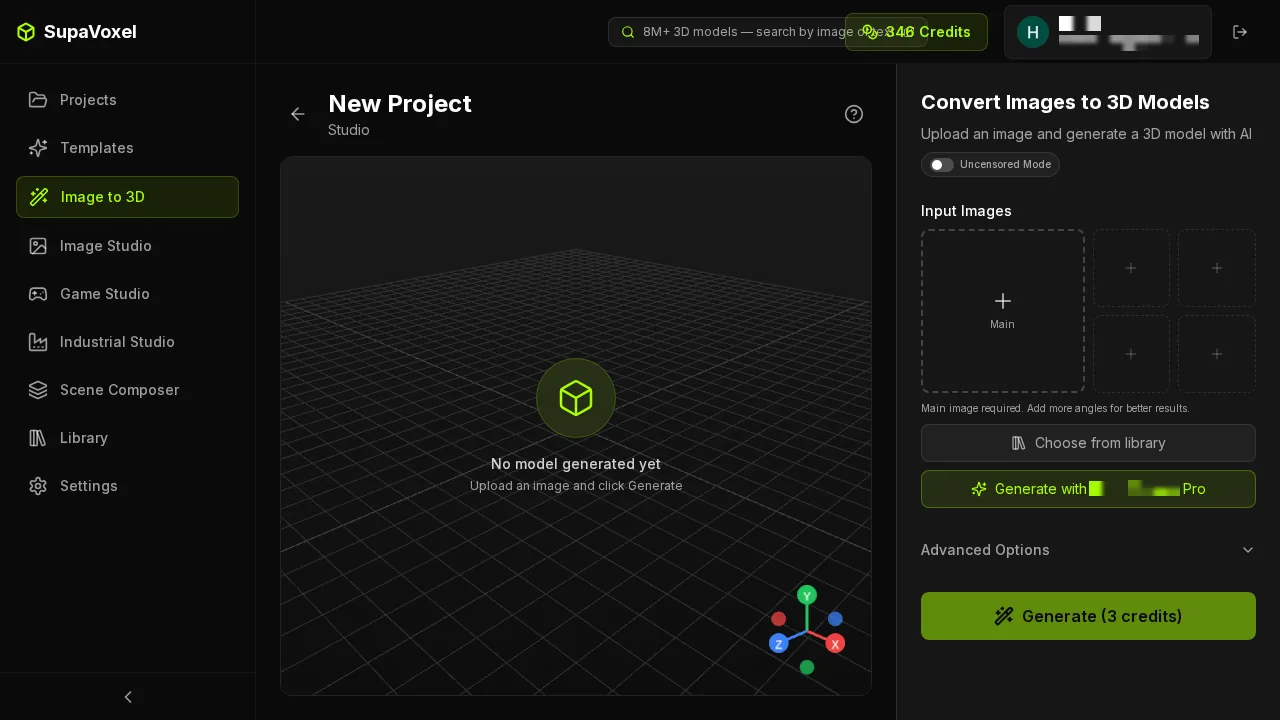
SupaVoxel's studio before anything is uploaded. The button already reads Generate (3 credits)**. Five input slots on the right — one Main plus four extra angles — and the balance in the top bar.

Tripo's studio at the same moment. The button is a bare Generate arrow with no price on it. Two quality tiers sit above: Best Quality, selected, and Clean Topology, badged Trial ×2*. Balance 845, an Upgrade link beside it, and a "Level up your personal brand" promo bubble in the corner.*
- Price visible before upload — Tripo no · SupaVoxel yes, and unchanged after upload
- Reference image slots — Tripo 1 · SupaVoxel 5 (1 Main + 4 angles) · I used 1 on both
A pricing-disclosure difference, not a trick — but one that only runs in one direction. You learn a Tripo job costs 55 credits after you have picked the file, cropped it and dragged it in.
The number appears only after the file is in

Tripo after the upload. Now the button reads Generate 55*. Clean Topology still carries its Trial ×2 badge and is still off.*
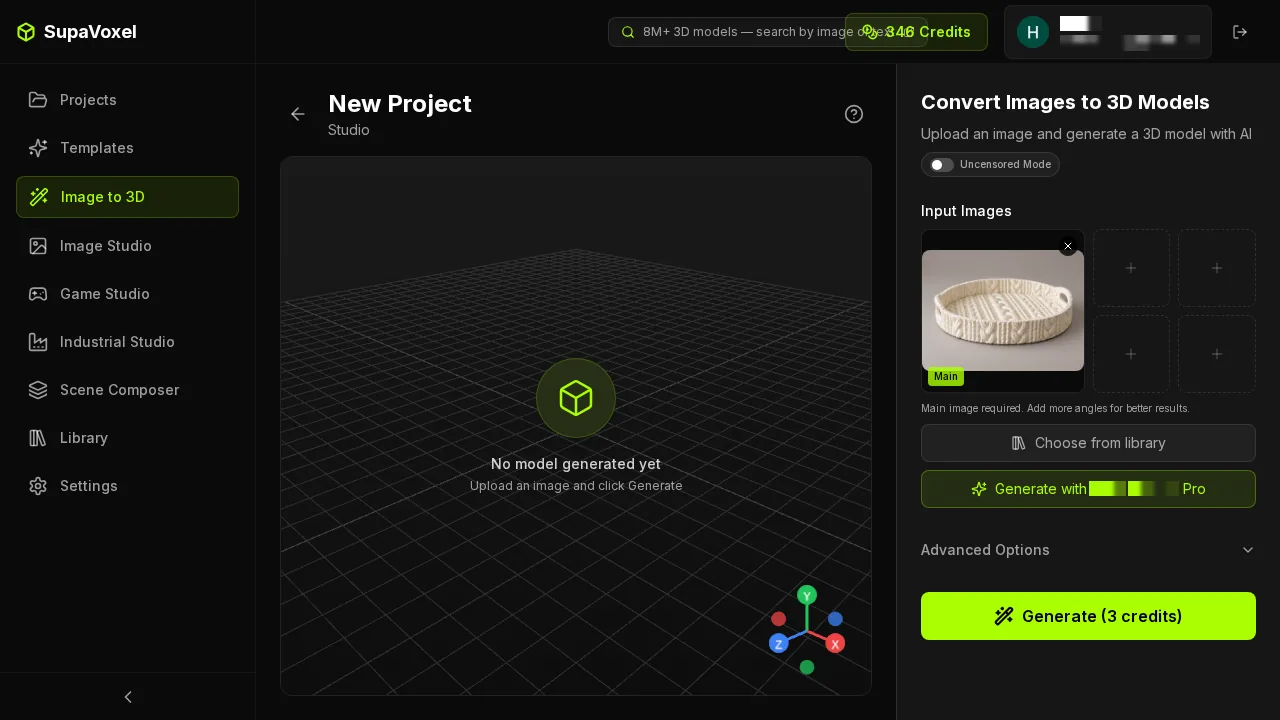
SupaVoxel after the same upload: the button still reads Generate (3 credits)**, the same string as before. Four of the five slots are still empty; I fed one image.
- Quoted price, before → after upload — Tripo (none) → 55 · SupaVoxel 3 → 3
Clean Topology is a trial, and this file shows what it was holding
The switch on Tripo's front page that decides whether you get clean topology is badged Trial ×2 — two goes, then gone, and off by default. I took the default, and Tripo's mesh welds into a watertight single shell with inconsistent face winding: some faces point inward. That is a recalculate-normals pass per model, owed forever, unless you spend a trial or upgrade.
- Clean Topology — Tripo Trial ×2, default off · SupaVoxel n/a, no equivalent gate
- Winding consistent on the delivered file — Tripo false · SupaVoxel true
I cannot tell you whether Clean Topology would have fixed the winding, because I did not spend a trial on it. What I can tell you is that Tripo put its topology switch behind a counter and then shipped a topology defect on the default path.
Two more switches you paid 55 credits to look at
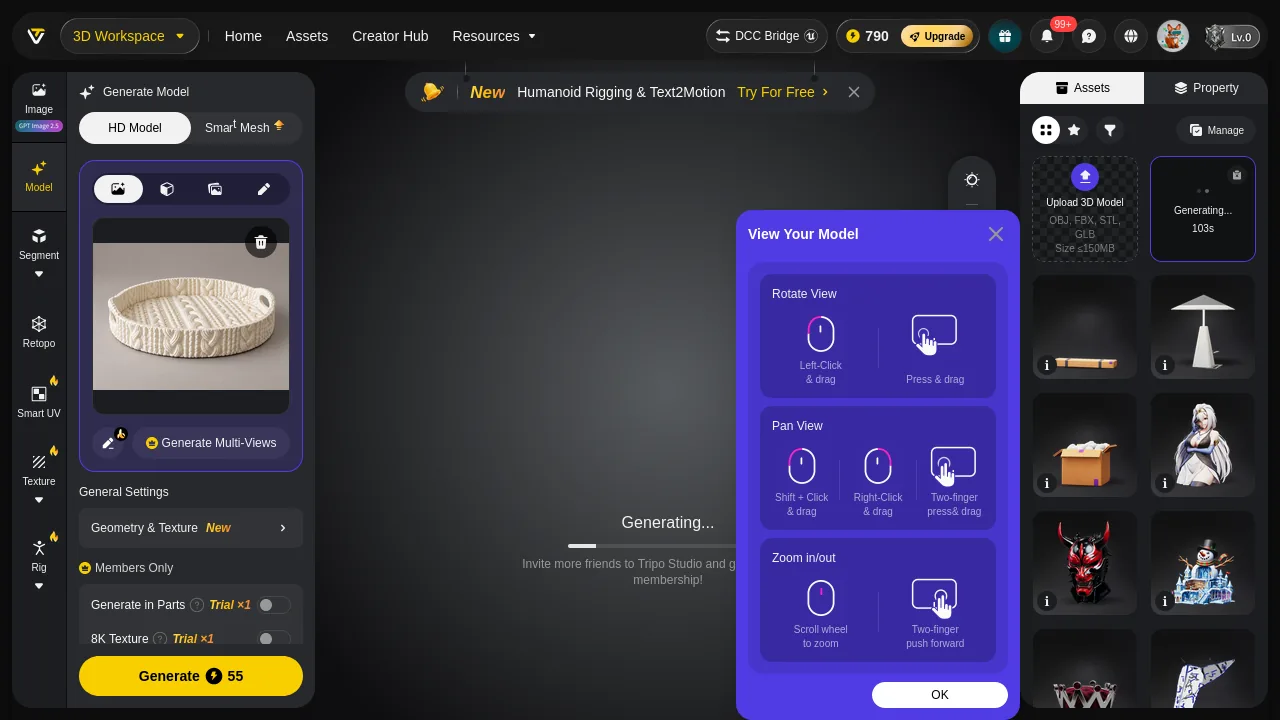
Tripo generating. Three things are stacked over the viewport: a "Humanoid Rigging & Text2Motion — Try For Free" banner across the top, a "View Your Model" instruction dialog over the point cloud, and a line in the middle of the viewport inviting you to bring friends to Tripo Studio for membership. The card reads Generating… 103s. Left rail: Generate in Parts Trial ×1*, 8K Texture* Trial ×1*, both off. Balance already down to 790.*
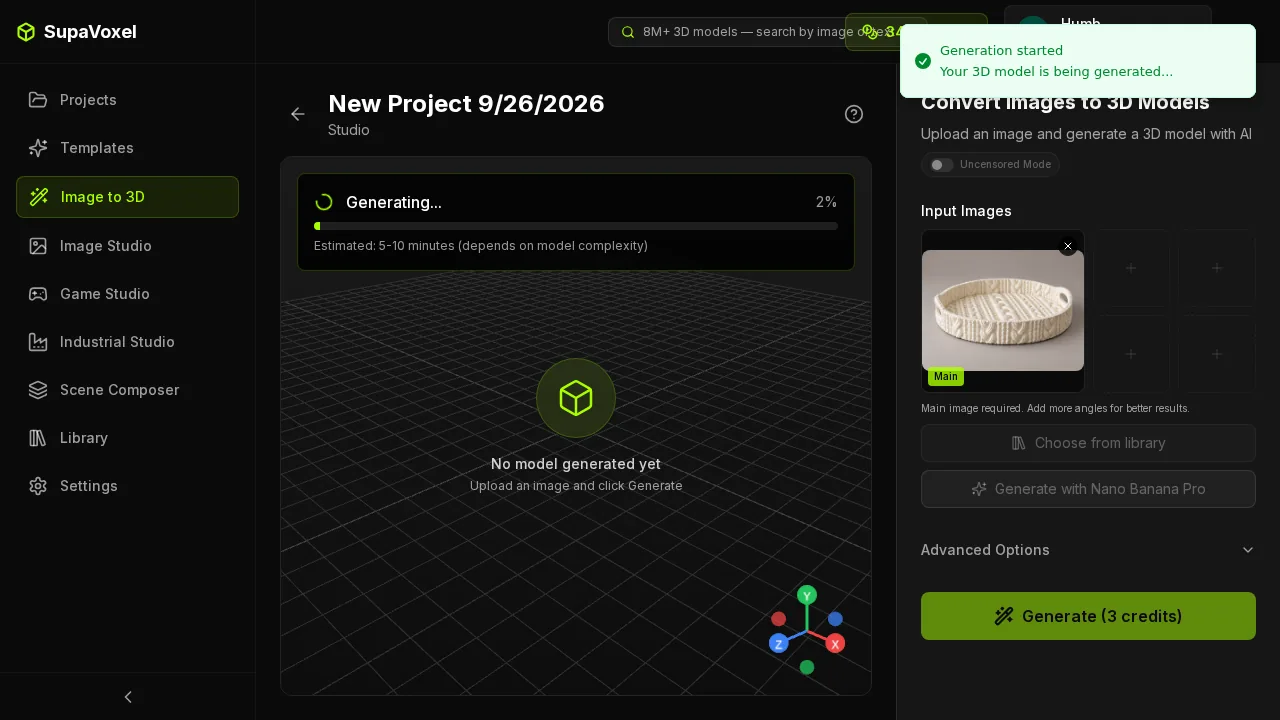
SupaVoxel generating: a numeric progress bar at 2%, an "Estimated: 5–10 minutes" line, one small toast. No banner, no dialog over the model, no referral pitch.
- Gated toggles in view while paying — Tripo 3 · SupaVoxel 0
- Promotional surfaces over the viewport during generation — Tripo 3 · SupaVoxel 0
- Balance during generation — Tripo 845 → 790 · the charge lands on submit, not on delivery
Tripo's promo banner changed three times across four captured frames — Humanoid Rigging, then Smart UV, then Smart Mesh P2.0. One leaves, another arrives, all over the thing you are paying for.
Every slider on the SupaVoxel side is a number, and none of them is a counter
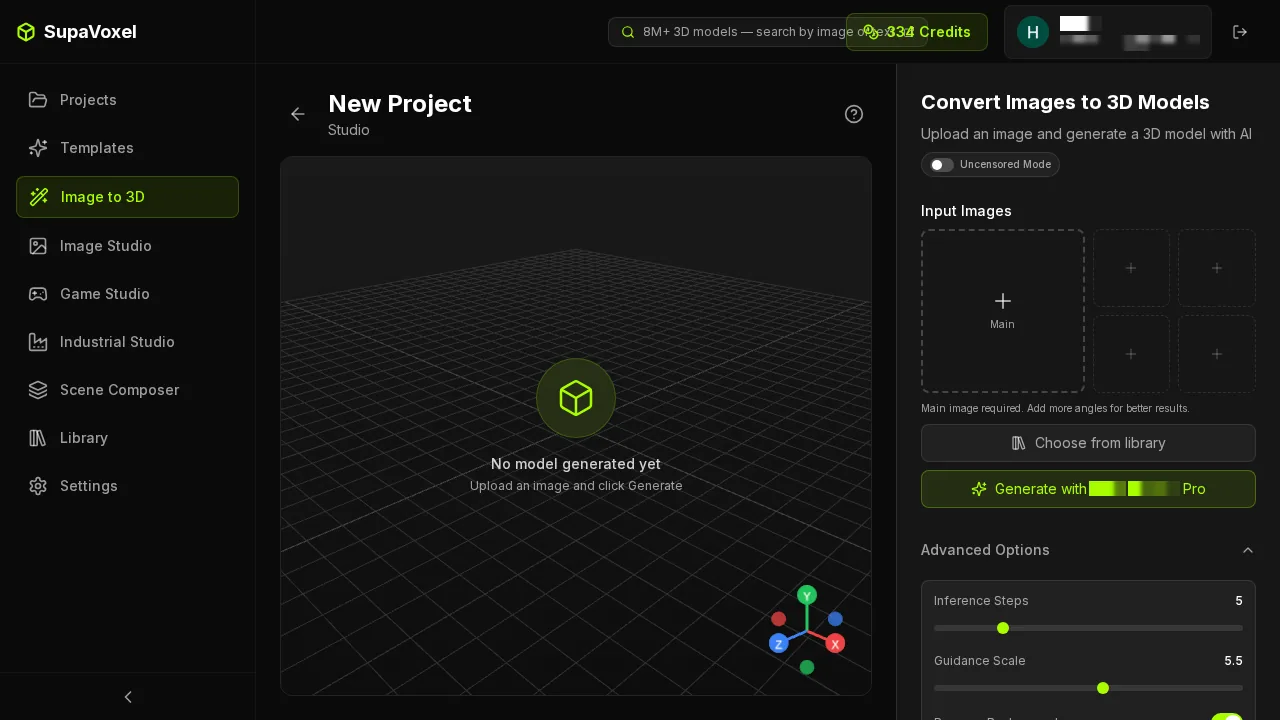
SupaVoxel's Advanced Options: Inference Steps 5, Guidance Scale 5.5, both as numbered sliders, everything available on the Hobbyist tier. Not one item marked Members Only or Trial ×N. I read the values and moved nothing.
- Parameters visible with numeric values — SupaVoxel yes · Tripo tiers and toggles, no numbers
- Parameters gated on the tier I was on — SupaVoxel 0 · Tripo 3
Speed: what my stopwatch actually said
Tripo publishes no completion timestamp, so I had to watch for it: still Generating at 04:44:29Z, done at 04:44:59Z, 169.0 s on the clock. SupaVoxel's run on the same image finished in 127.6 s. SupaVoxel by 41 seconds, on this tray.
That is one subject. Across all ten I ran, two things are true at once and you need both of them:
SupaVoxel is usually faster. It won 7 of the 10 objects, and its median run was 133.6 s against Tripo's 163.5 s — about thirty seconds better in the middle of the pack.
Tripo is far more predictable. Every Tripo run landed between 135 and 189 s: a 54-second spread over ten wildly different subjects. SupaVoxel ran from 100.2 s to 867.4 s — a 767-second spread. The tail is all on SupaVoxel's side: an armoured tank took 867 s, a reindeer 258 s, a watch stand 250 s.
- This tray — SupaVoxel 127.6 s · Tripo 169.0 s · SupaVoxel by 41 s
- Ten-object median — SupaVoxel 133.6 s · Tripo 163.5 s · SupaVoxel ~30 s better
- Ten-object wins — SupaVoxel 7 · Tripo 3
- Ten-object range — Tripo 135–189 s (54 s spread) · SupaVoxel 100.2–867.4 s (767 s spread)
Pick by which of those you actually need. Sitting at the machine waiting for one tray, SupaVoxel gets you there first more often than not, and did here. Scheduling a queue you have to promise a delivery time on, Tripo is the one whose worst case you can write down. One run per tool per subject, ten subjects — enough to see the shape, not enough to call it a benchmark.
Download shifts a little of it back afterwards either way: 42.4 s against 3.8 s on 12 Mbps is 38.6 seconds returned on the SupaVoxel side once generation ends.
A hundred trays: 300 credits against 5,500
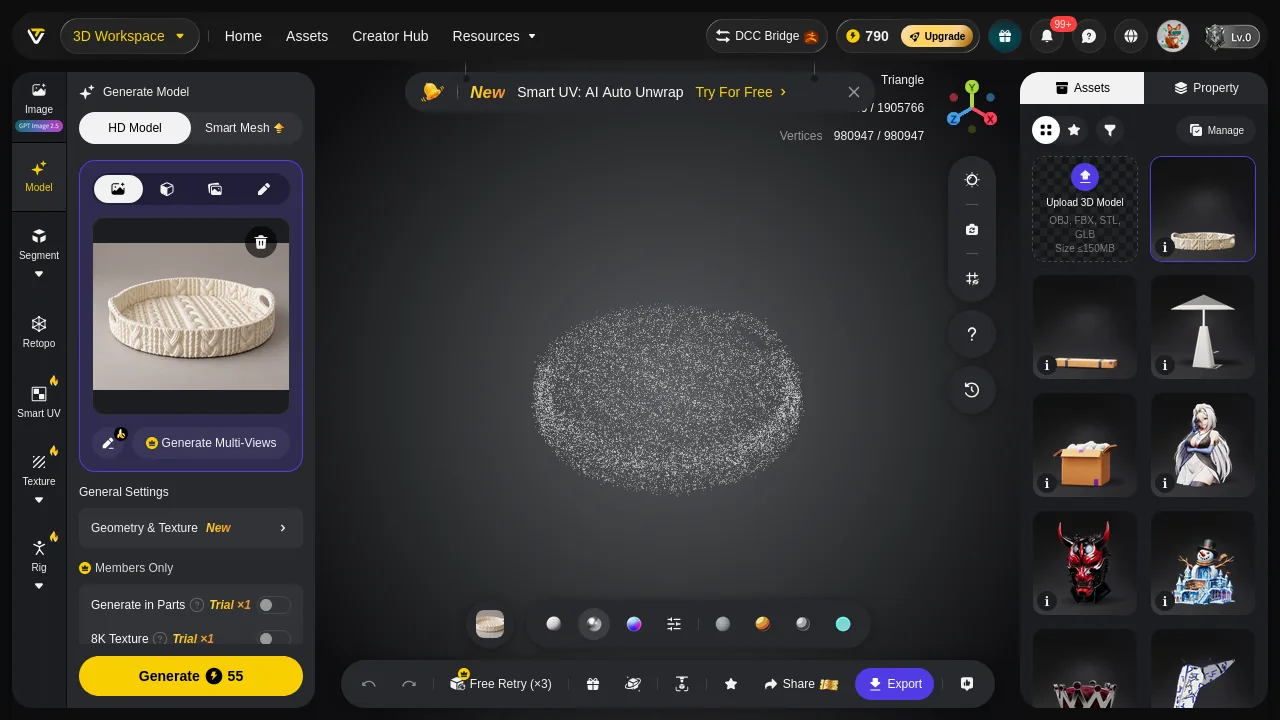
Tripo after generation: the toolbar with Share / Export / materials has appeared, but the viewport is still a point cloud. The promo strip has rotated to "Smart UV: AI Auto Unwrap — Try For Free".
- Credits for 100 — Tripo 5,500 · SupaVoxel 300 · 5,200 saved
- Serial hours for 100 — Tripo 3.8–5.2 h · SupaVoxel 2.8–24.1 h · overlapping, so nobody wins this row
- Download for 100 — Tripo 6.36 GB · SupaVoxel 0.57 GB · 5.79 GB saved
- Resin for 100 at $35/L — Tripo $295.00 · SupaVoxel $280.00 · $15 saved
5,200 credits is the largest single number in this comparison. Of the 5.79 GB you would not download, roughly 0.78 GB is a hundred copies of a 4.72 MB PNG normal map and a hundred 3.07 MB 4K base colour maps — bytes a slicer never opens.
The hours row is genuinely undecided. Project my observed ranges out to a hundred serial jobs and the two overlap — 3.8 to 5.2 hours on Tripo, 2.8 to 24.1 hours on SupaVoxel — so a batch could finish an hour sooner on SupaVoxel or a day later, and I have no basis for telling you which. Anyone quoting you "X hours sooner" on either side is quoting a number they do not have.
The repair bill runs the other way: a hundred Tripo models need a hundred normals passes, while a hundred SupaVoxel models need merge-and-clean over 225 components and 336 non-manifold edges, the heavier job. The batch saves money and bandwidth and spends labour.
The web-preview bill: $54.07 against $4.85
- File served per load — Tripo 63.61 MB · SupaVoxel 5.71 MB · 11.1×
- CDN at $0.085/GB, 10,000 loads/month — Tripo $54.07 · SupaVoxel $4.85
- Same bill over a year — Tripo $648.80 · SupaVoxel $58.20 · $590.60 apart
- First load on 12 Mbps mobile — Tripo 42.4 s · SupaVoxel 3.8 s
This is your bandwidth bill, not a fee either tool charges. A 42-second first load is not a slow feature, it is an absent one — and shrunk to a product-page viewport Tripo's 2.0× triangle advantage is almost invisible. The visitor pays 38.6 extra seconds and sees nearly nothing for them.
What the result page gives you for the money
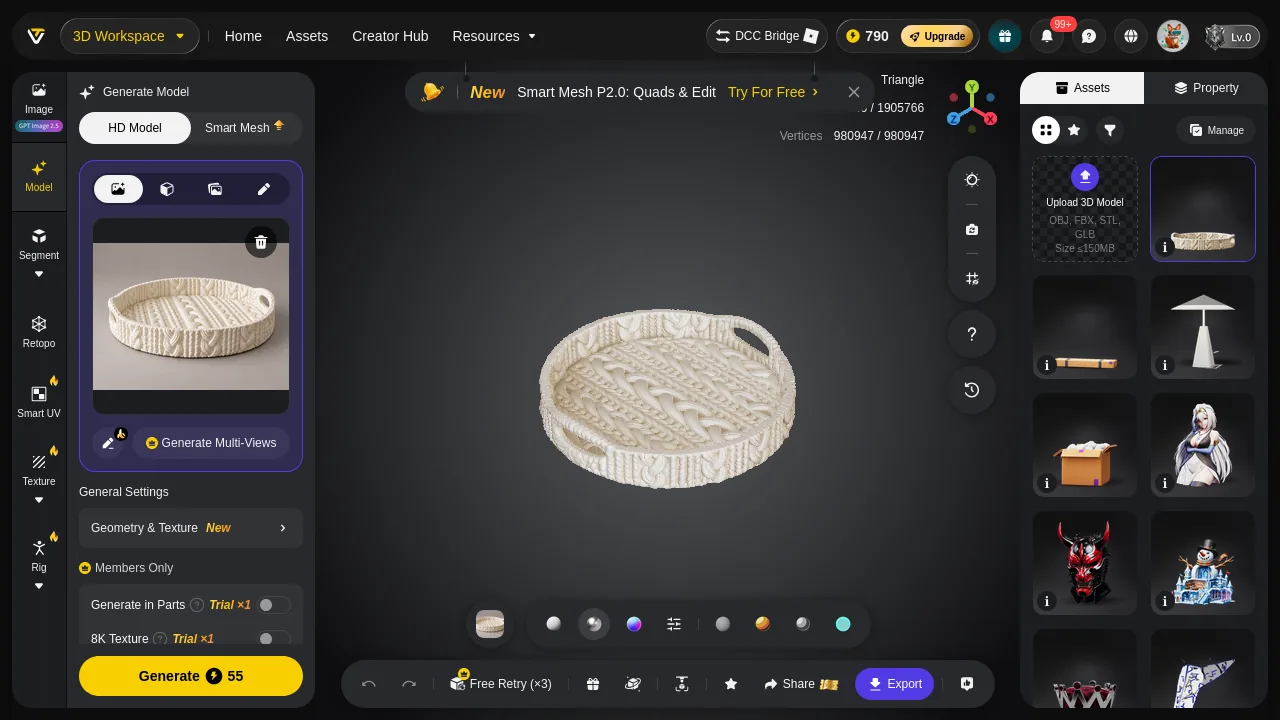
Tripo's viewport only becomes a textured mesh after export. The form is all there — round tray, two punched handles, cable knit over the whole surface. The face-count readout in the corner is still half-covered by the Assets panel, and a third promo banner has arrived: "Smart Mesh P2.0: Quads & Edit — Try For Free".
Between "your job finished" and "you can see what you bought," Tripo inserts a dismissable dialog, a point-cloud stage and an export step. SupaVoxel goes straight to an inspectable result with a version dropdown, millimetre dimensions and four view modes.
Two frames I did not get on the SupaVoxel side
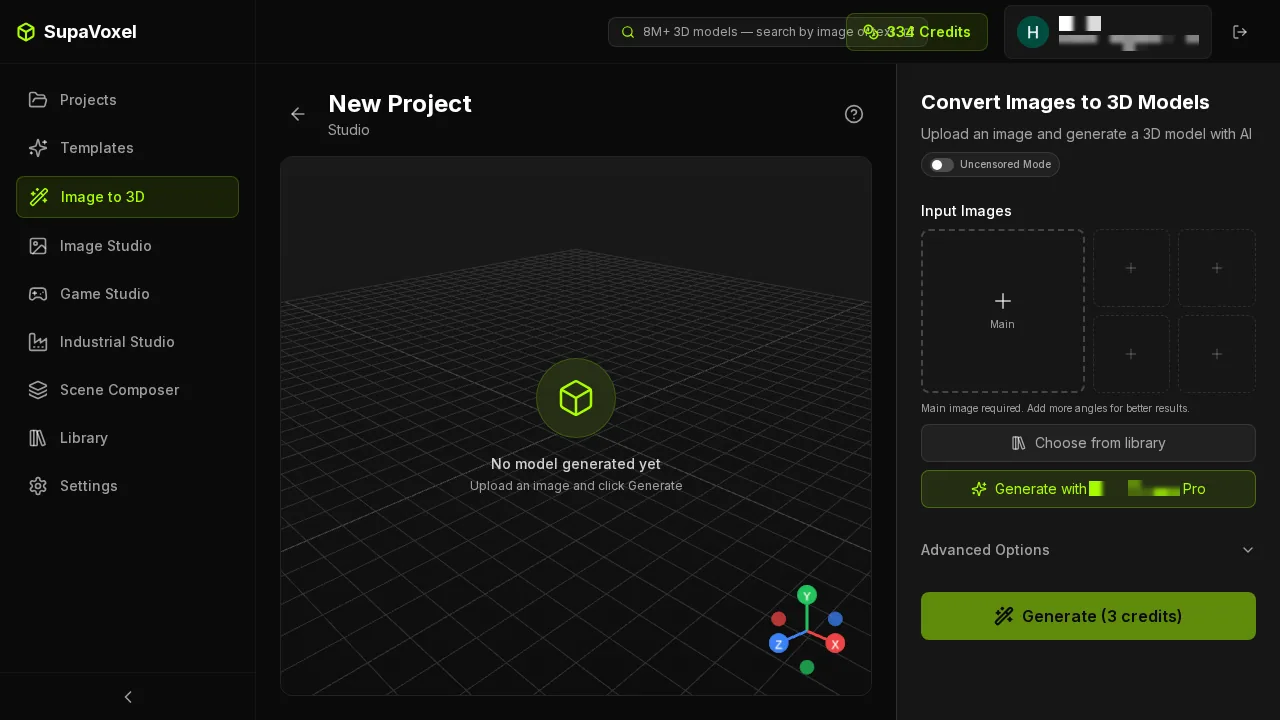
This was meant to be the reopened result. My automation captured a clean New Project page instead — balance 334, "No model generated yet". It proves the balance readout and the entry layout, nothing more.
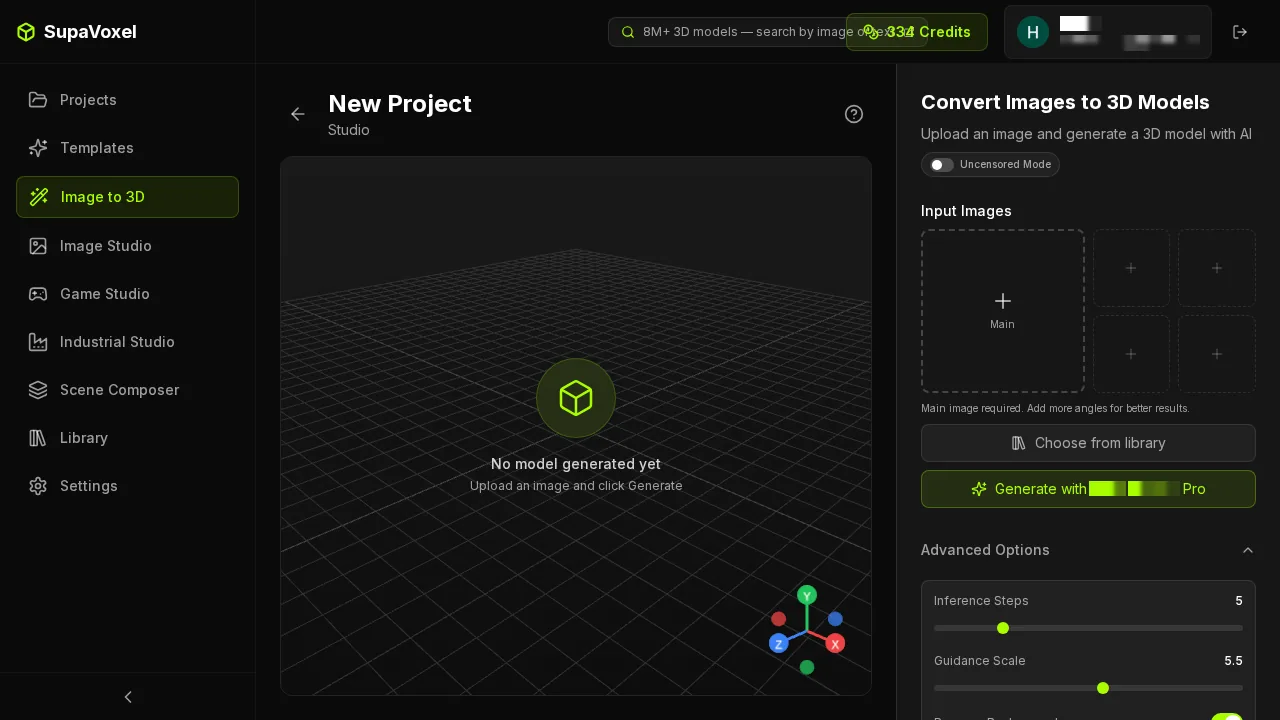
And this frame is byte-identical to the previous step — the SupaVoxel export panel was not captured this run. So the "clicks to get your file" row reads not captured on SupaVoxel and 2 steps on Tripo. A recording gap, not a missing feature: the Export dropdown is in the result-page header.
One honest note on the meter. The SupaVoxel top bar read 346 before and 334 after — a 12-credit drop, not 3. I had other jobs from this batch running on the same account inside that window, which is enough to explain it, and I cannot separate them from the balance readout alone. The figure I am reporting, 3 credits, is the one the button quoted for this job before I pressed it and after I uploaded: Generate (3 credits). If you want to check it yourself, run a single job on an otherwise idle account and watch the top bar.
Tripo does not confirm that the export happened
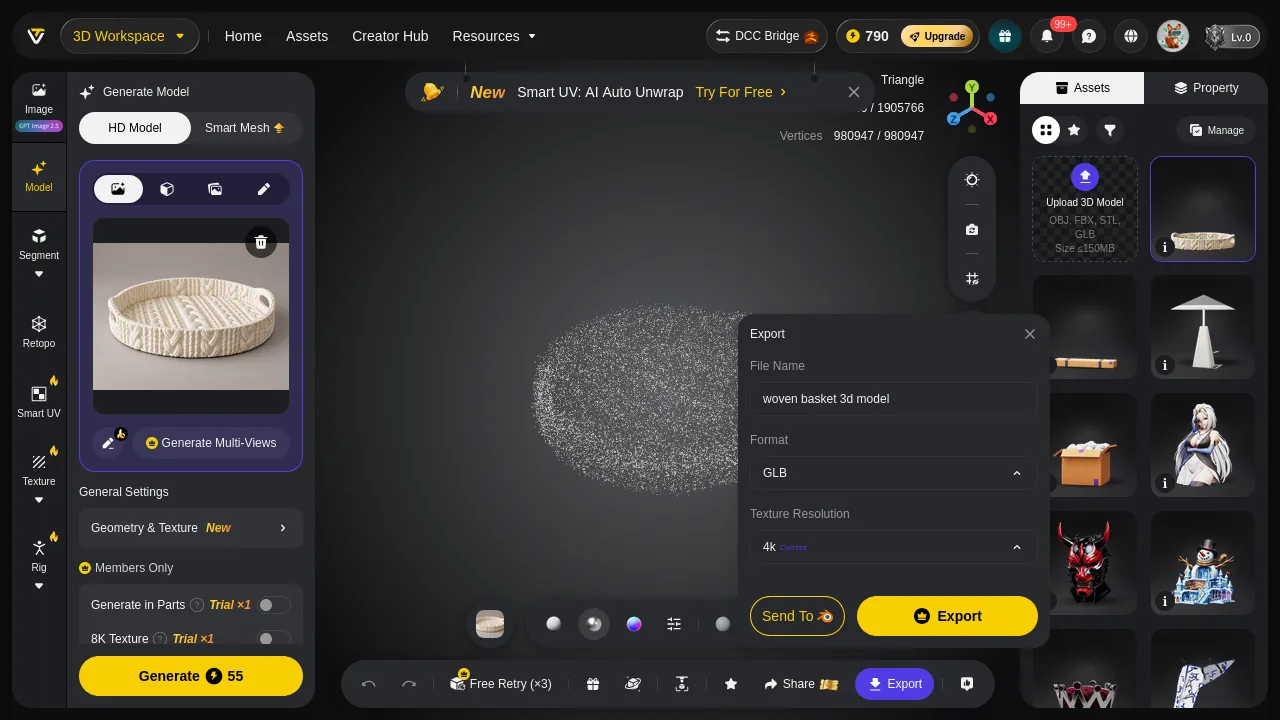
This frame is byte-identical to Tripo's export dialog before the click. Same dialog, same fields, no "exported" state, no toast, no change. The only way to know the export worked is the browser's download list.
Final verdict: Tripo scores 57/100
Tripo reports its face count honestly, holds the tightest time band of the two across ten objects — 135 to 189 s, never a surprise — and delivered the better-formed solid on this tray. Tripo also charges 18.3× for it, quotes the price only after upload, takes the credits on submit, keeps its topology switch behind a two-use trial and two more behind Members Only, rotates three promo banners over the model you are paying for, and hands back 63.61 MB because of a dialog default that never mentions size.
SupaVoxel costs 3 credits and 5.71 MB, prices before upload, gates nothing on the Hobbyist tier, was 41 s faster on this tray and faster on seven of the ten objects. It is also the one that produced the 867-second outlier, so its speed advantage comes with a tail Tripo never showed me, and its file needs the heavier repair. One run per tool per object, defaults; every credit figure here comes from the two tools' own balance readouts and quoted prices, and every second off my own clock.
Which one I would use for this job
If your constraint is a budget, a batch or a bandwidth line, SupaVoxel is the one to pick up: 3 credits against 55, 300 against 5,500 for a hundred, 5.71 MB against 63.61 MB, $58.20 a year of CDN against $648.80, and every parameter unlocked without a trial counter. Take Tripo if one tray has to arrive tonight as a watertight solid and 52 extra credits do not matter — on this object Tripo earns them, and I would rather say so than pretend the meter is the only column.
Originally published on Medium: Tripo AI Credits Review 2026: 55 Credits for One Knitted Tray.