For readers searching hi3d for a practical Meshy AI character review, this comparison shows how the tool handles a knight reference and differs from SupaVoxel in appearance, materials, and mesh efficiency.
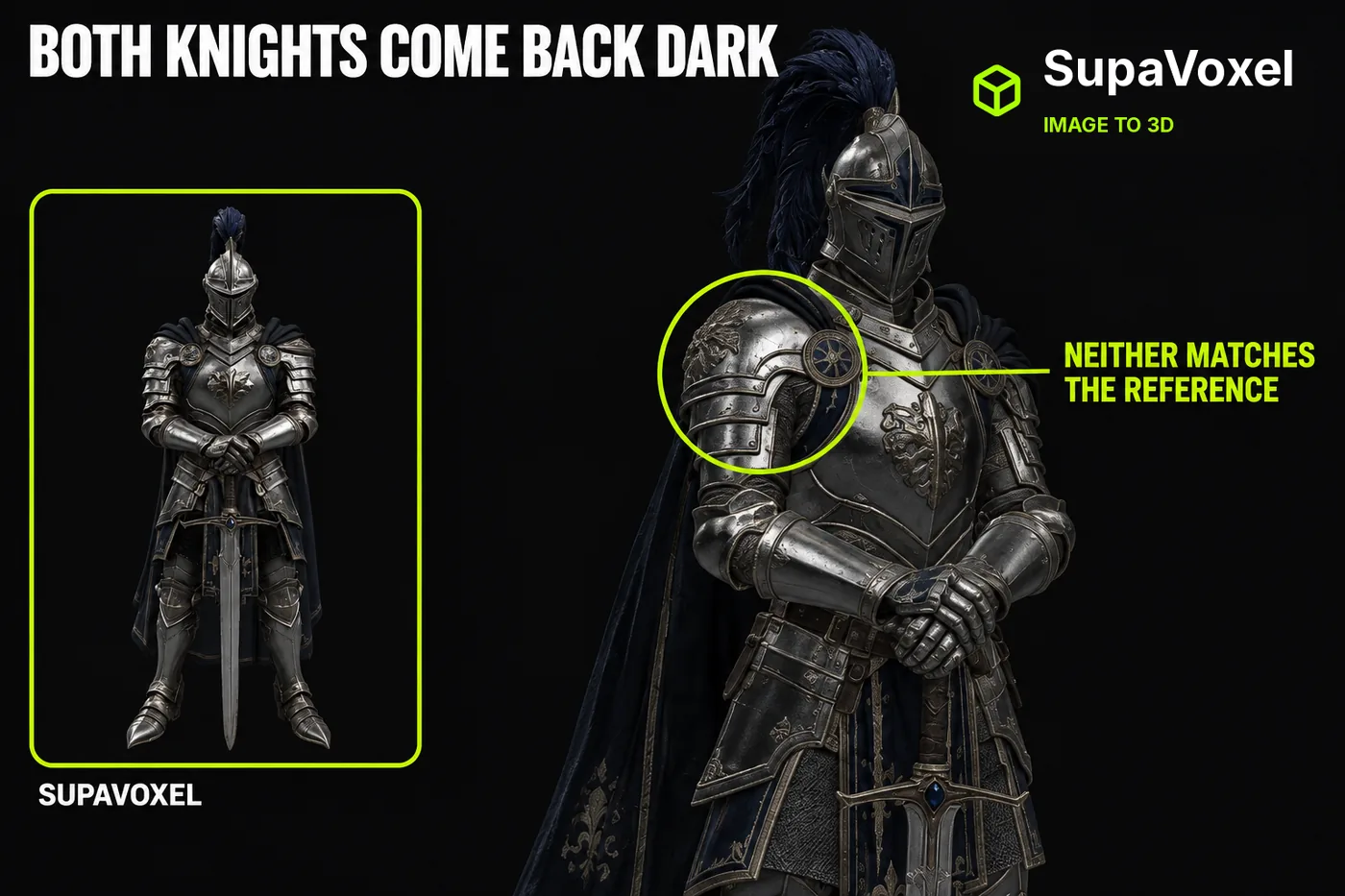
Independent review: both products were tested on my own accounts — free where offered and paid where not — with no vendor-provided access.
You have a knight in a picture. Polished silver plate, dark blue plume, sword point-down.
You want him standing in your scene by tonight, looking like the picture.
That's the actual test, isn't it? Not "is the mesh clean" — does he look like the guy. So I asked around, kept hearing the same two names, and ran the same illustration through Meshy and SupaVoxel. Then I rendered both files side by side under identical lights and cameras.
My verdict in 60 seconds — Meshy 63/100, SupaVoxel 88/100.
My scores for this one job, not a measurement. This is Meshy's best showing of the three articles I wrote about this run, and it still lands at 63. Here's why.
- Full-figure read — both knights arrive whole · Meshy 7/10 · SupaVoxel 7/10 — a tie at playing distance: Meshy's silhouette is fine, and SupaVoxel's is just as legible from the same camera.
- Brightness against the reference — both come back dark · Meshy 5/10 · SupaVoxel 5/10 — tie, and neither earns it: Meshy misses the polished silver of the source picture, and SupaVoxel misses it too.
- Specular highlights on the plate — SupaVoxel sharper at the same crop · Meshy 6/10 · SupaVoxel 8/10 — Meshy's armour reads flatter where the light should catch; SupaVoxel keeps the bright flecks that make steel look like steel.
- Back and back-zoom — invented by both · Meshy 5/10 · SupaVoxel 5/10 — tie by definition: the reference has no back, so Meshy's version is unverifiable and so is SupaVoxel's.
- Triangles spent on that look — Meshy 2,230,028 vs SupaVoxel 1,499,574 · Meshy 5/10 · SupaVoxel 8/10 — Meshy pours 730,454 extra triangles into cape folds nobody orbits; SupaVoxel gets the same read with a third less mesh.
- Vertices behind it — Meshy 1,184,811 vs SupaVoxel 922,928 · Meshy 6/10 · SupaVoxel 8/10 — Meshy carries 261,883 extra corner points into every frame; SupaVoxel holds the same knight on 922,928.
- Bytes for that look — Meshy 74,160,184 vs SupaVoxel 12,287,608 · Meshy 3/10 · SupaVoxel 9/10 — Meshy charges 61,872,576 extra bytes for a difference you can't see at full-figure distance; SupaVoxel ships it at one-sixth the size.
- Textures baked in — Meshy 3 vs SupaVoxel 3 · Meshy 7/10 · SupaVoxel 7/10 — tie, and it's awkward for Meshy: identical map counts mean none of the look difference comes from Meshy shipping more pictures.
Let me get the awkward part out of the way first, because Meshy genuinely earns something here:
- Meshy holds the blue on the helmet. At a tight crop, the visor inlay and the blue-and-white star roundels survive. SupaVoxel's come back as tooled metal.
- Meshy holds the gauntlet detail too, around the sword grip.
- And then Meshy charges 74,160,184 bytes and 2,230,028 triangles for those two close-ups — with the same 3 textures, and the same total absence of a skeleton.
- Step back to full-figure distance, which is where players actually stand, and the two knights converge into two dark figures of roughly equal readability.
So it comes down to your camera. If your knight lives in a tight crop, Meshy earned it this run. For everything else — and that's most scenes — SupaVoxel is what I'd ship over the Meshy file. That's the tool I used for the right-hand side of every pair below.
What are you actually comparing against?
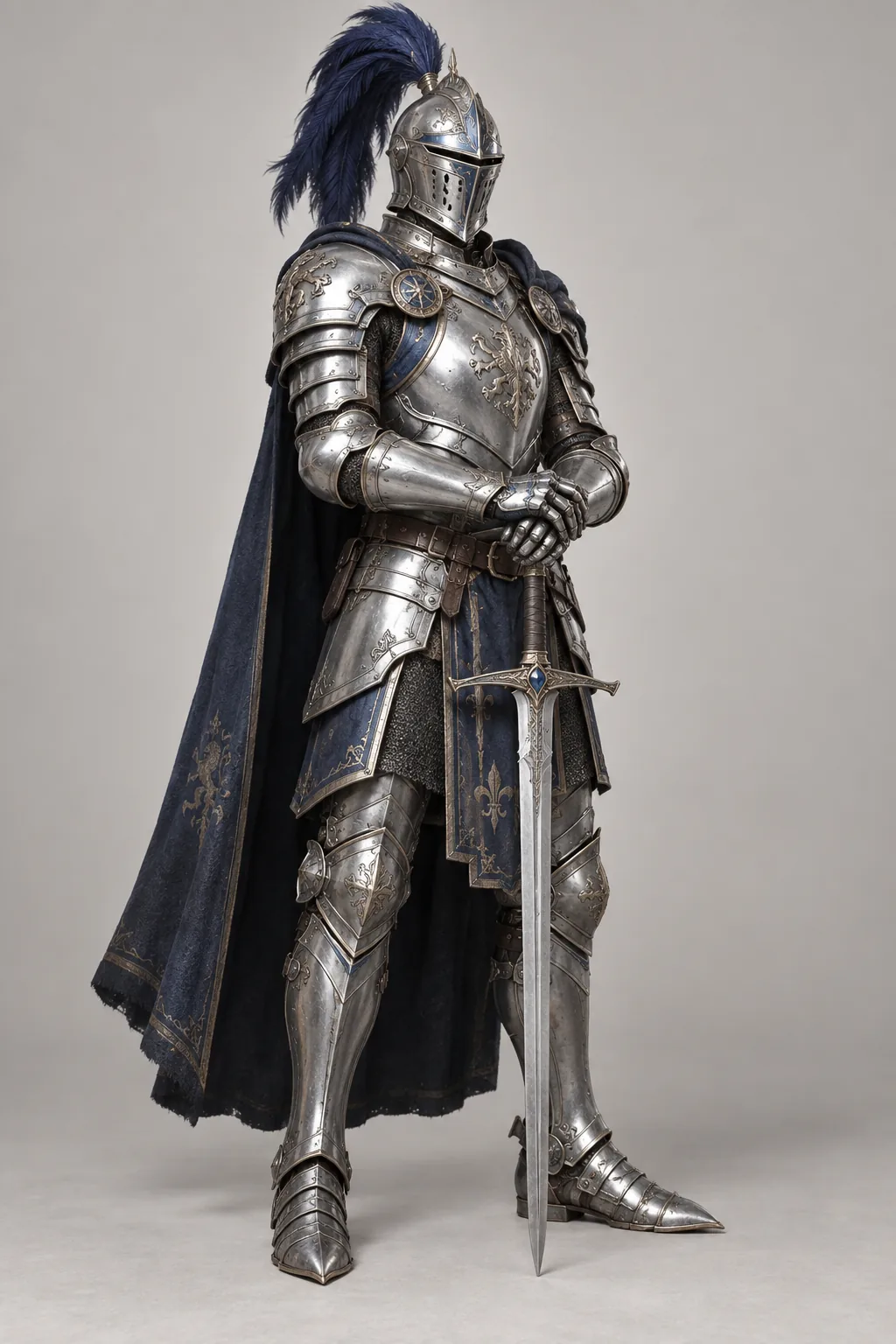
The reference. Polished silver plate, dark blue plume, blue cape, fleur-de-lis tabard, sword held point-down in both hands. This picture is the entire brief.
This one illustration, and nothing else. No text prompt went into Meshy or into SupaVoxel — just the image.
Every render below came out of the same offline viewer, same lights, same camera numbers. Not a screenshot of the Meshy preview next to a screenshot of the SupaVoxel one, which would tell you about two lighting setups instead of two models.
If a Meshy comparison uses each tool's own viewer, you're looking at their lighting, not their geometry.
One honest wrinkle before we start: a 3D file carries its own idea of which way is forward. The Meshy knight and the SupaVoxel one don't agree on it — Meshy's front sits 35° off — so matching camera numbers doesn't guarantee matching facing. Where it mattered — the two close-up pairs — I squared each knight's front up instead, and I'll say so in the caption.
At the distance your player stands, can you tell them apart?
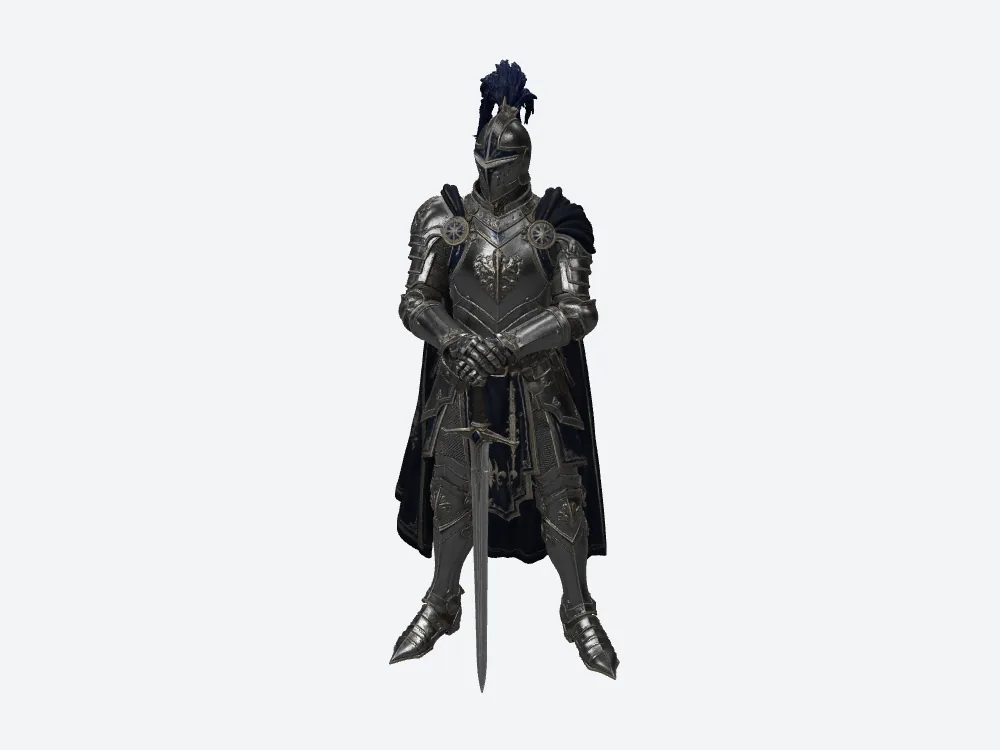
Meshy at a three-quarter camera. Unmistakably the knight — and noticeably darker than the reference illustration.
Barely.
The Meshy knight arrives whole. Cape behind the shoulders, blade reaching the ground, nothing amputated. So does the SupaVoxel one. Both also come back dark where the reference is bright polished steel.
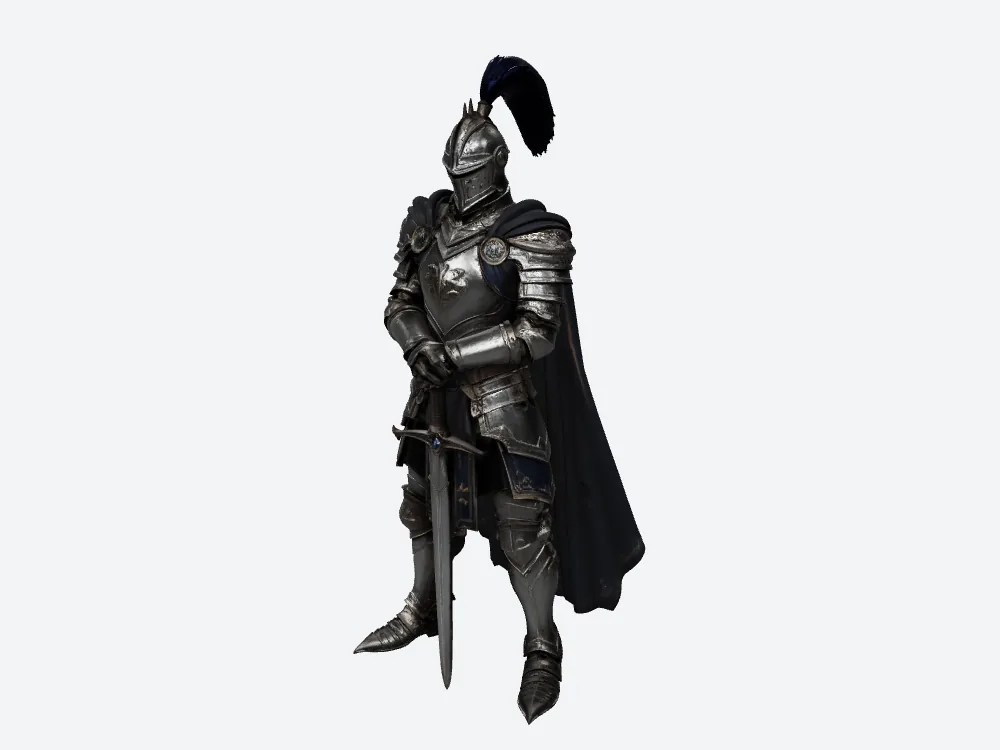
SupaVoxel at the same camera and lighting. 1,499,574 triangles, 12,287,608 bytes, the same knight in the same pose.
Now here's the part that should decide it for you: that near-identical result costs 74,160,184 bytes from Meshy and 12,287,608 from SupaVoxel. Six times the file, for a difference you can't see from here.
The scene where that matters isn't the render. It's the character-select screen that loads six Meshy knights at once, on a phone, over a mobile connection.
What does the front view actually cost you?
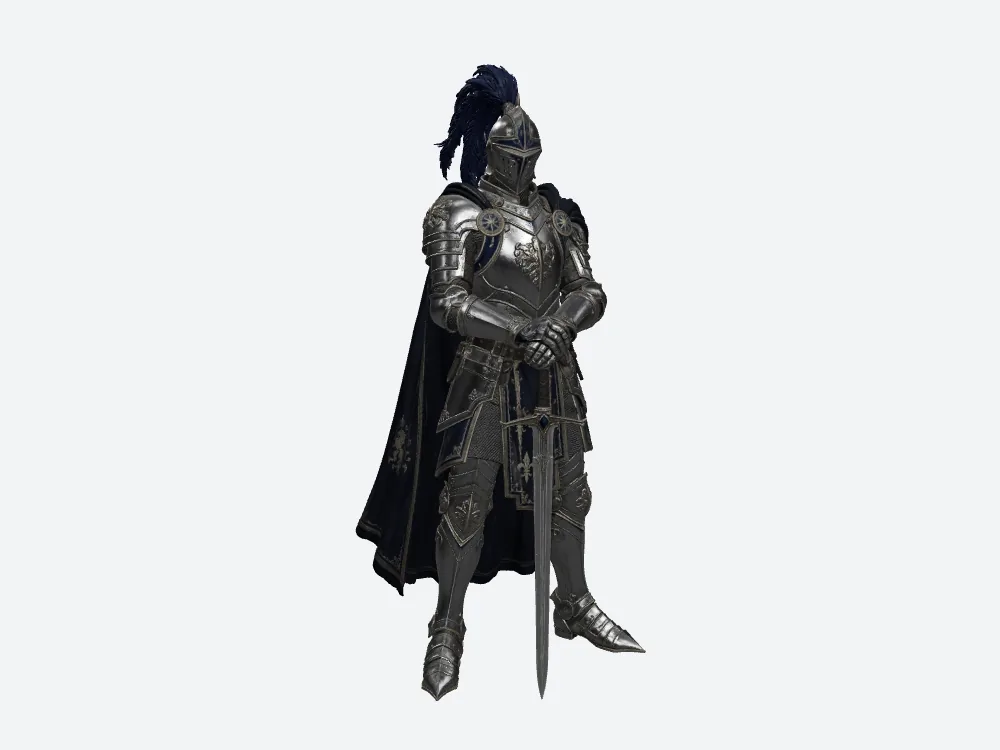
Meshy from the front. The breastplate relief and the shoulder roundels read as shapes. That blue inlay Meshy wins on later? A few pixels wide from here.
This is roughly the framing a character gets judged at in a real scene.
And from here, Meshy's advantages compress into almost nothing.
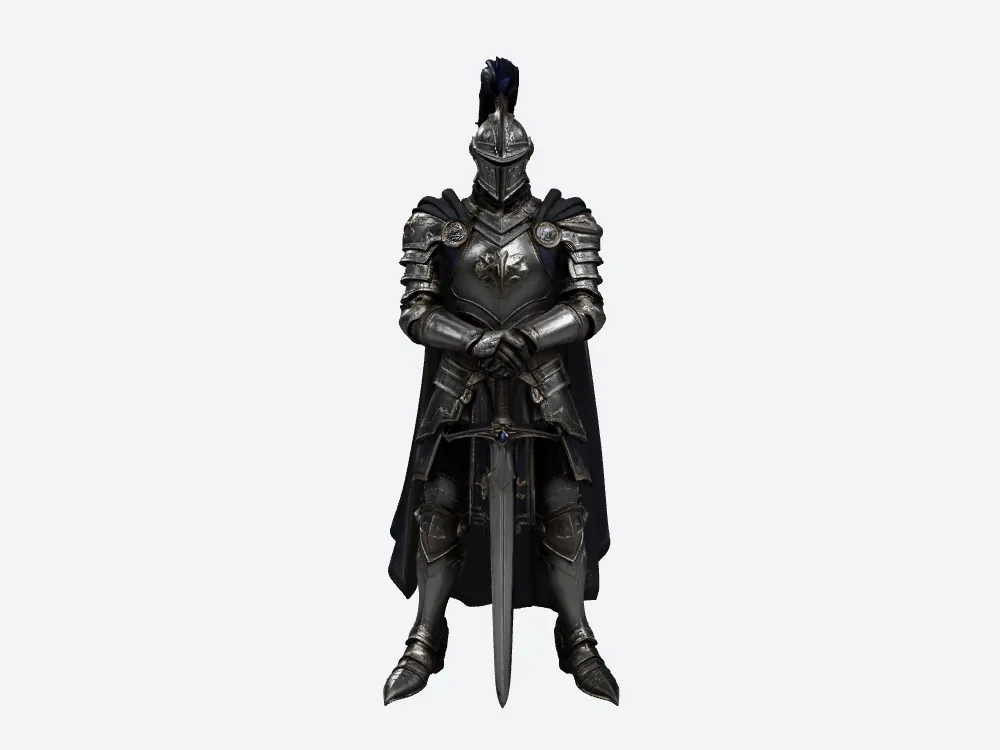
SupaVoxel from the same front camera, with the same 3 baked textures Meshy shipped. Same silhouette, same readable armour.
Meshy spent 2,230,028 triangles to get here. SupaVoxel spent 1,499,574 — 730,454 fewer pieces for you to decimate before your engine will take it seriously. Meshy also spent 1,184,811 vertices against 922,928, which is the number that follows you into every frame.
Same read at playing distance. Two-thirds the mesh to clean up.
Both tools baked in 3 textures. So what explains the difference?
Not the texture count.
The Meshy file carries exactly 3 baked-in images. So does the SupaVoxel one. That single fact kills the comfortable explanations: Meshy isn't more colourful because it shipped more maps, and SupaVoxel isn't smaller because it shipped fewer.
Whatever's going on lives inside the same number of pictures on both sides.
Look closely at the plate armour in the close-ups further down and SupaVoxel's metal catches sharper specular highlights — the bright flecks that read as polished steel. Meshy holds more colour; SupaVoxel holds more shine.
Different trade, not a bigger texture budget.
Where did Meshy's extra triangles go? Mostly somewhere you'll never look.
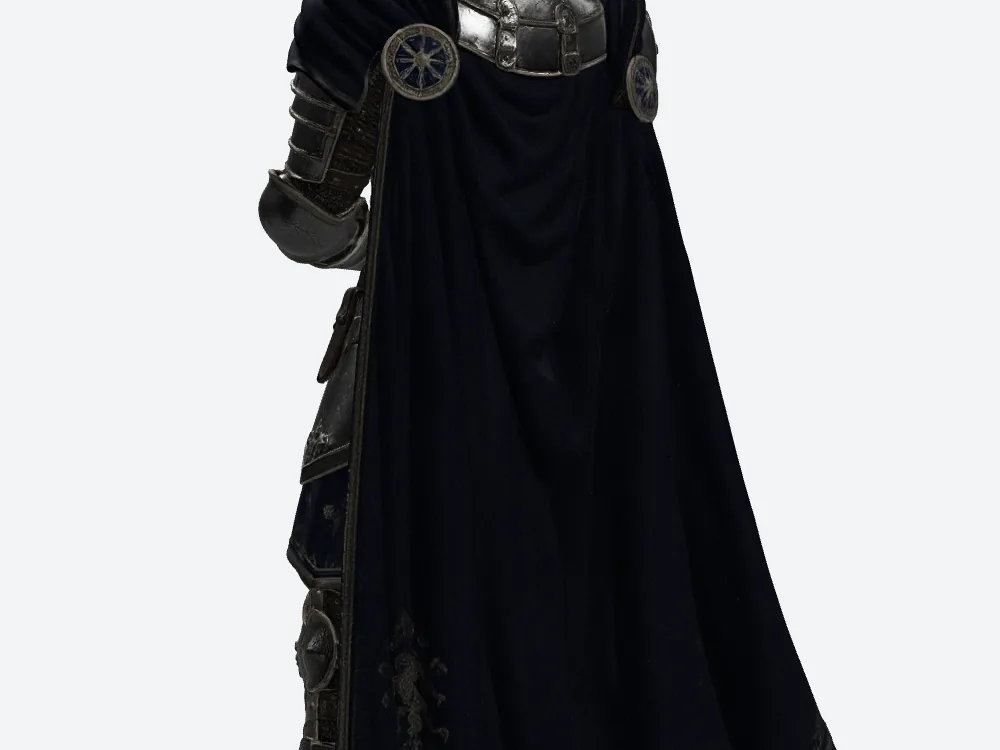
Meshy's cape from behind, up close. Dense, continuous folds — and every triangle in them came out of the same 2,230,028 budget.
Into the back of the cape.
Nothing in the reference constrains what's back there. No camera in a normal scene lingers on it. Meshy still spent its budget describing it in detail.
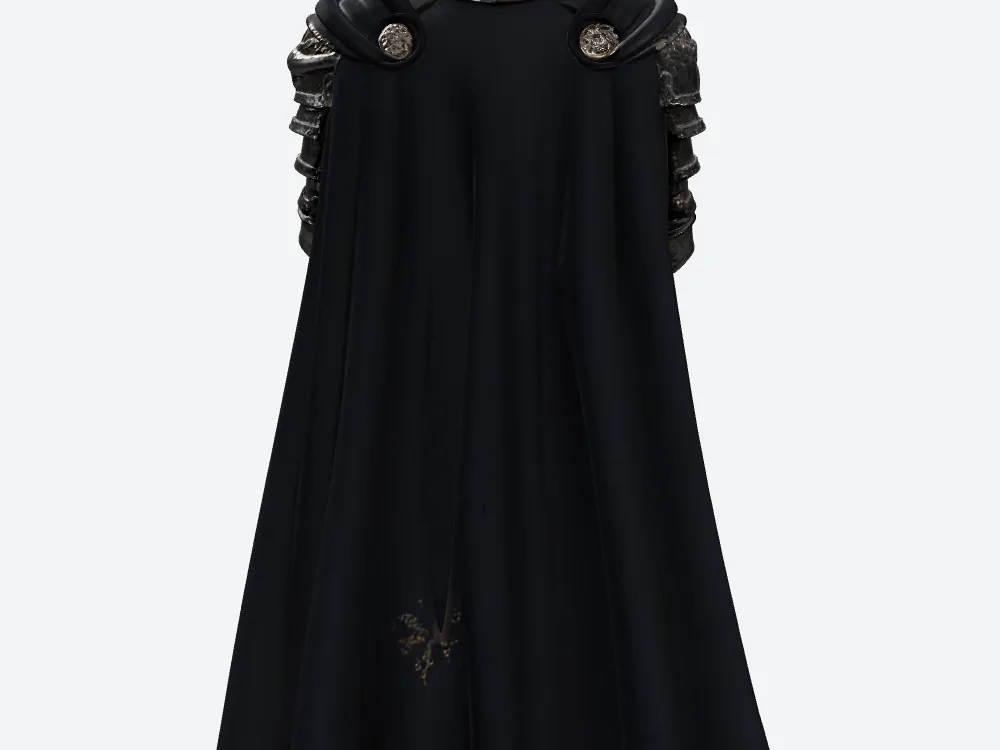
SupaVoxel's cape at the identical camera and zoom. Fewer folds, 730,454 fewer triangles overall.
That's not a defect — it's a choice Meshy made about where to spend. But it's your memory budget it gets spent out of. Run the standard arithmetic — 32 bytes per vertex, 4 bytes per index, a normal layout — and Meshy's geometry works out to 64.67 MB against SupaVoxel's 47.53 MB. That's an estimate on measured counts, not measured video memory, and it excludes textures entirely.
You're paying 17.14 MB for cloth folds behind a character nobody orbits.
Can either tool be trusted with the back of the model?
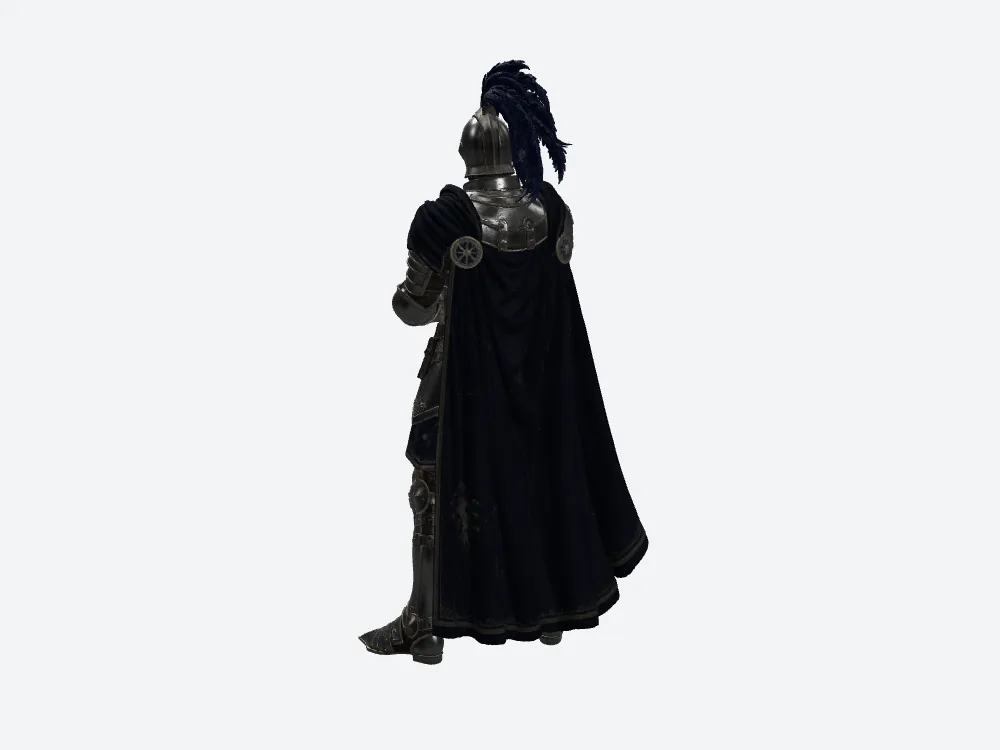
Meshy from directly behind. The figure closes up cleanly — no gaps where the cape meets the shoulders.
No, and neither can any Meshy review that claims otherwise.
The reference shows a three-quarter front. Whatever Meshy put behind that cape is invention, and so is SupaVoxel's version. Calling either one "accurate" would mean comparing it to something that doesn't exist.
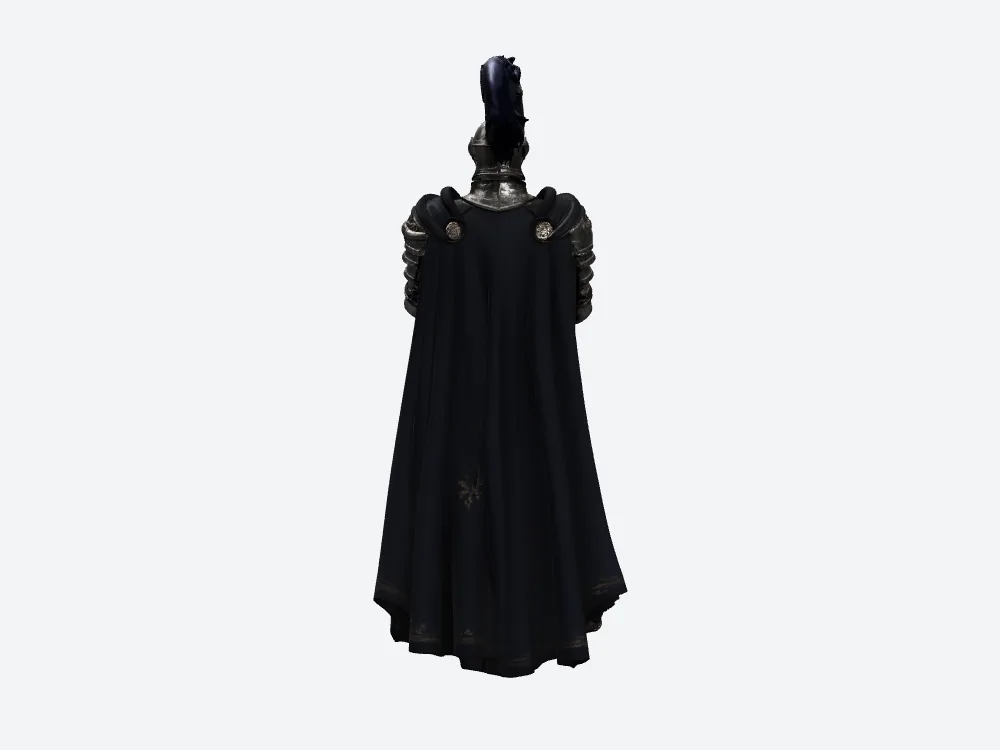
SupaVoxel from the same rear camera. Also closed, also unverifiable against the source picture.
What I can say: Meshy closed the figure, and so did SupaVoxel. If your knight turns around on screen, you're art-directing that side yourself either way.
Where Meshy actually wins
Here it is, and I'm not burying it.
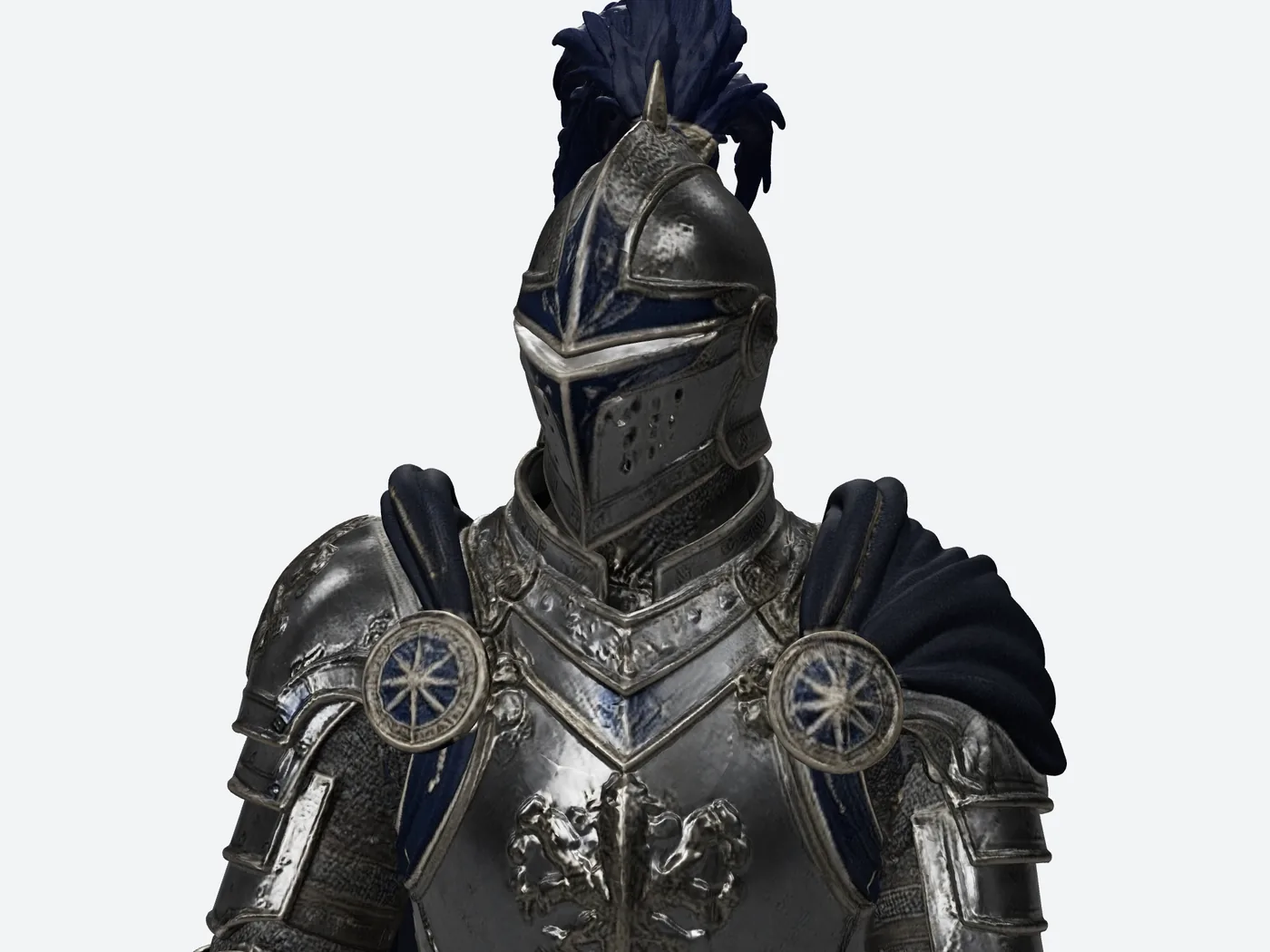
Meshy's helmet up close, front squared to camera. The blue visor inlay, the blue-and-white star roundels on the pauldrons, and the rampant-lion relief on the chest all survive.
At a tight helmet crop, Meshy is better. Straight up.
The blue that runs down the visor and around the collar in the reference is still there in Meshy's textures. The roundels keep their star motif and their blue field. The lion on the breastplate still reads as a lion.
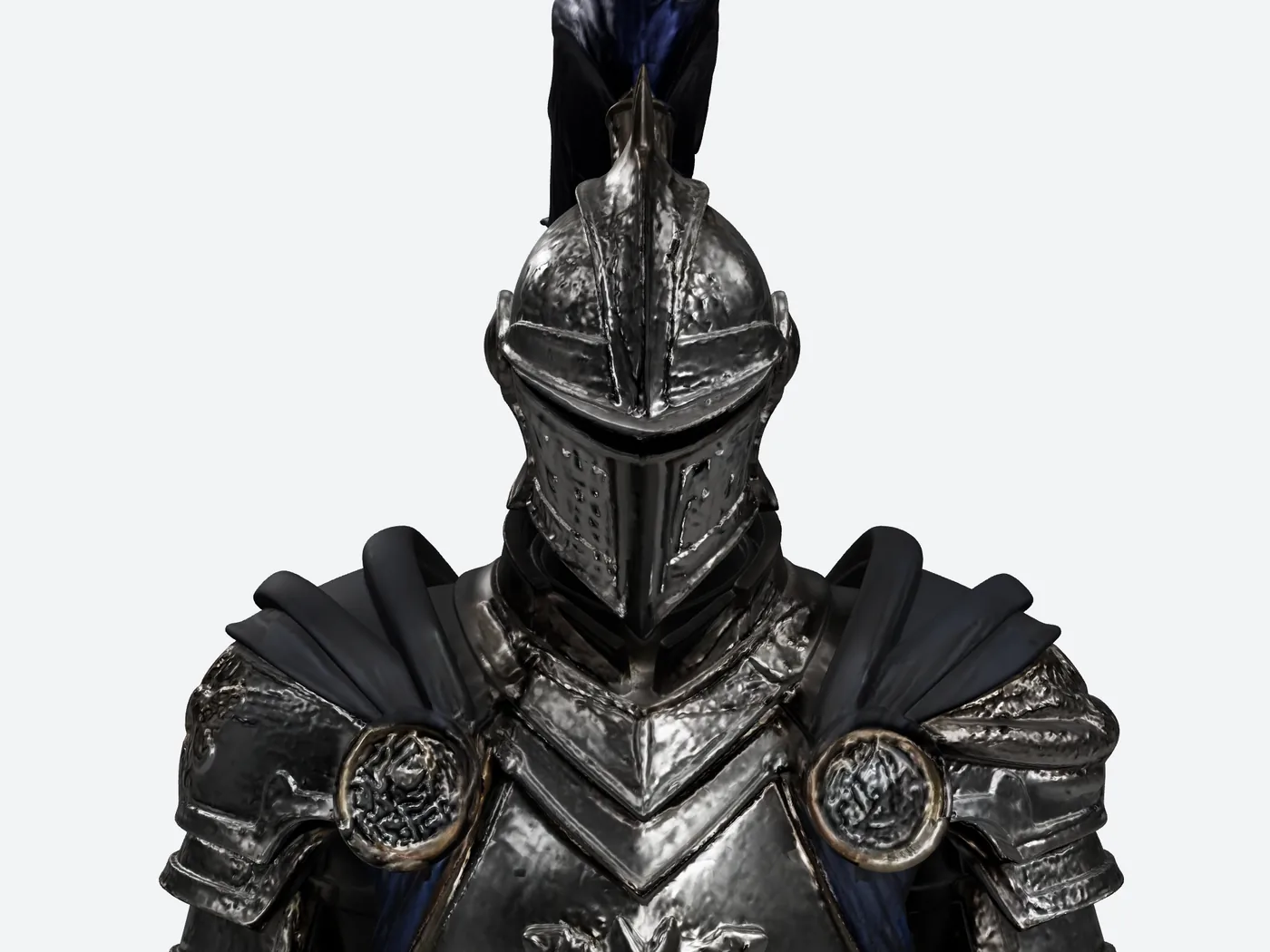
SupaVoxel at the matching crop, its own front squared up the same way. Crisper highlights on the plate — but the blue Meshy kept is largely gone.
Same story on the hands.
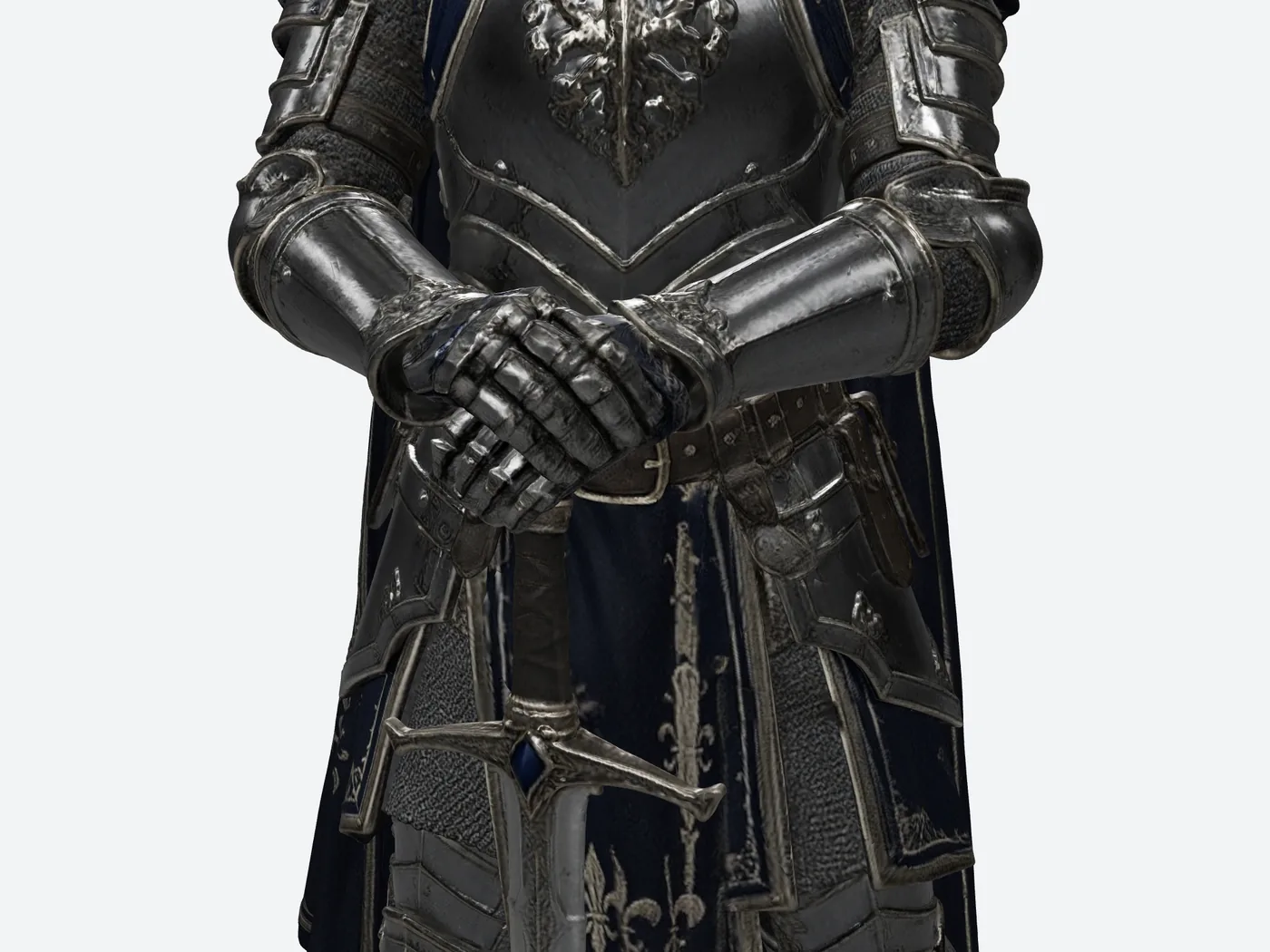
Meshy's gauntlet and sword grip. The finger plates stay articulated instead of fusing into a mitten.
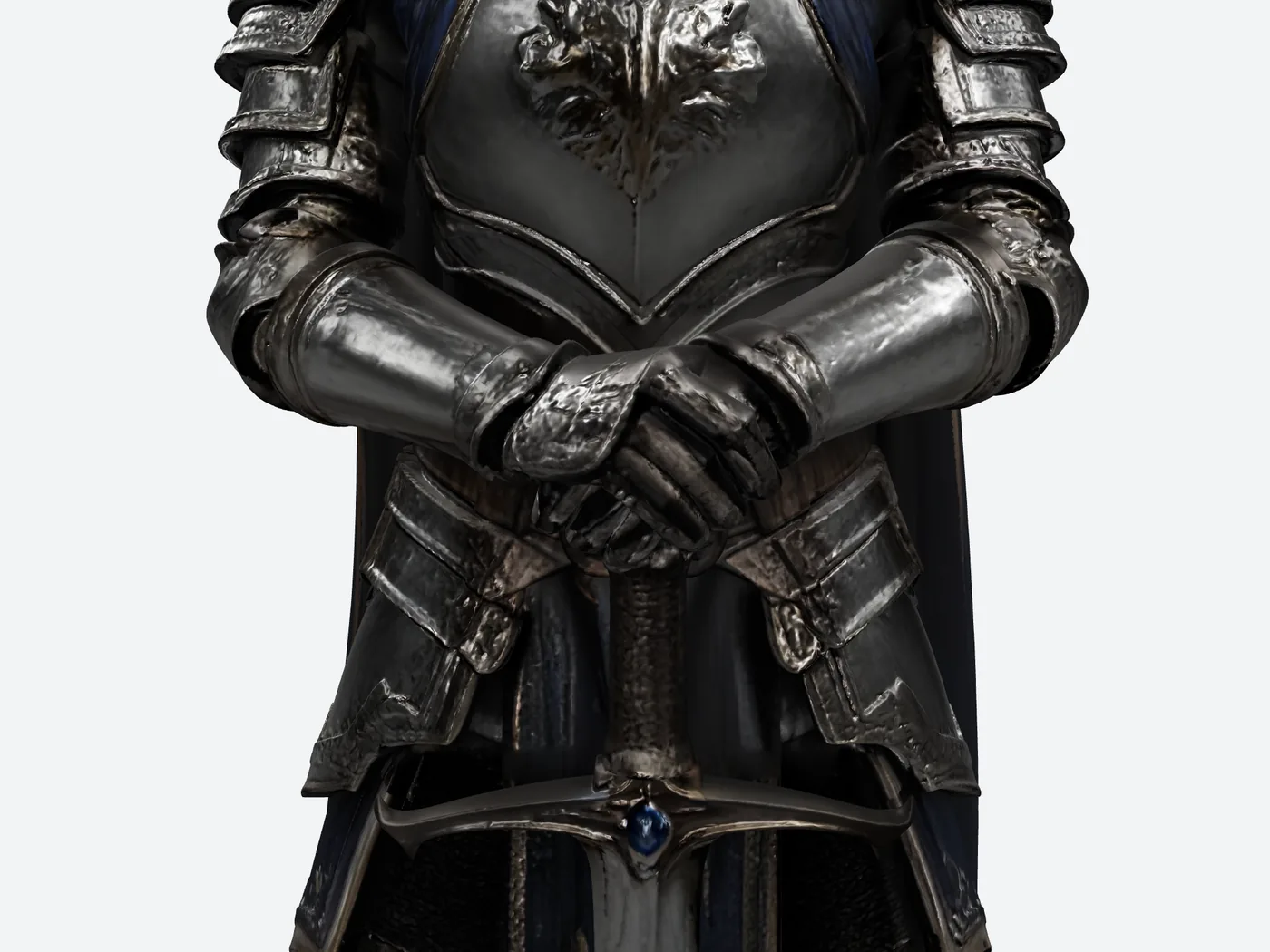
SupaVoxel at the same crop and zoom. Softer segmentation on the glove, same fused grip.
Now the exchange rate, because a win without a price tag isn't useful to you.
Meshy's blue crest costs 61,872,576 extra bytes, 730,454 extra triangles and 261,883 extra vertices — on every knight. On a 12 Mbps line that's 49.44 seconds of downloading against 8.19; on a fast 100 Mbps line, 5.93 against 0.98. Both are arithmetic on the measured byte counts, assuming a steady connection and modelling nothing else.
Is a crest worth 41 extra seconds and six times the file? If your camera pushes into the helmet, Meshy is absolutely worth it. If it doesn't, you just bought colour you'll never see at that resolution.
One more thing in Meshy's column while I'm here. The Meshy file's list of required extensions is empty — it opens anywhere. The compressed SupaVoxel file asks for EXT_meshopt_compression and KHR_mesh_quantization, a compression scheme your importer has to understand. Switch to the full-size SupaVoxel export and no decoder is needed. I read those flags out of both downloaded files, but I didn't test either one in a real importer, so the flags are measured and the import result isn't.
And a fair warning that applies to both: the Meshy file doesn't separate the hands from the grip as riggable parts, and neither does SupaVoxel's. Neither contains a skeleton or an animation either — zero and zero on both sides. Those gauntlets still need splitting and weighting, whichever one you pick.
One generation, two deliverables
Worth knowing before you pick a file to look at: SupaVoxel's export menu gives you a compressed GLB and a full-size GLB off the same run.
So the choice isn't "small file or picky importer". It's both, from one generation, with no re-run and no conversion step.
Every render in this article came from the compressed export — that's the 12,287,608-byte file. The full-size one is the complete uncompressed deliverable, so it naturally weighs more; it's there for the day something downstream wants the plainest possible version.
Meshy gave me one file to work with. SupaVoxel gave me a choice of two, for the price of the same run.
What the run log adds to the picture
Four small rows that round out the comparison, and two of them are blanks.
Meshy and SupaVoxel both finished with 0 failures — no wasted afternoons on either side. Retry counts weren't captured for either tool, so I can't tell you if anything silently re-ran.
Generation time: SupaVoxel logged 261.675 seconds; Meshy's field came back empty. I'm not going to let a missing Meshy number become a win for either one.
Credits: 35 recorded on the Meshy job, 3 on the SupaVoxel job. Two different plans, two different units, and I'm not turning that into a dollar comparison. Multiply by a hundred knights and you get 3,500 and 300 — the same arithmetic, still in two units that don't convert.
So which knight do you download?
- Your camera pushes into the helmet — Meshy. It earned that one this run.
- Your knight is seen at full-figure distance — either, on looks. Then the tiebreak is 12,287,608 bytes against 74,160,184.
- You need the bright polished silver of the reference — neither, this run. Both came back dark.
- You need a back you can trust — neither, ever. The reference doesn't have one.
- You need him rigged and moving — neither. Zero skeletons and zero animations in the Meshy file and in SupaVoxel's.
Final verdict: Meshy scores 63/100 for this job
This is Meshy's strongest article of the three and it's still a 63.
Meshy holds the crest, the roundels and the gauntlet articulation up close. Meshy closes the figure from behind. Meshy opens in anything. Four real, checkable things.
Then it charges 74,160,184 bytes, 2,230,028 triangles and 1,184,811 vertices for them, hands over the same 3 textures and the same zero skeletons as the lighter file — and converges with it at the distance most players actually occupy.
Use SupaVoxel for this job
If your knight lives at full-figure distance and has to be carried by a build rather than admired in a crop, this run gave 12,287,608 bytes, 1,499,574 triangles and the same 3 baked textures — plus a full-size export in the same menu — with the lost crest stated openly above, because that's the part you should weigh.
The only test that counts is your own. Take your concept art, run it through SupaVoxel, and render it next to the picture you started from.
How I tested this
One knight illustration. One generation per tool. One download each. This is one image and one run on each side — not a lab study, so don't read it as a fidelity ranking for either tool.
Both submissions got the identical picture with no text prompt. Meshy's recorded configuration: Image to 3D, High Detail, Ultra 2K, texture generation on, image enhancement on. Both exports were GLB.
Every render came out of one offline viewer at fixed camera numbers and fixed lighting. For the full-figure pairs the camera numbers are identical on both sides, which means the two knights may not be facing identically — that's the orientation wrinkle from earlier, and it's why I don't make colour claims from those. For the two close-up pairs I squared each knight's front to camera instead — Meshy at 35°, SupaVoxel at 0°, with matching tilt and zoom on both. That's a like-for-like comparison of what you see, not a pixel-for-pixel overlay, and every comment about colour is what I observed on screen, not a colour measurement.
Measured, straight from the files: triangles, vertices, bytes, embedded texture count, export format, required extensions, and zero skeletons and zero animations in both the Meshy and the SupaVoxel export. Plus 0 failures on both sides and SupaVoxel's 261.675-second window from the run log.
Arithmetic, not measured, assumptions stated: download seconds assume a steady 12 Mbps or 100 Mbps and model nothing else; geometry memory assumes 32 bytes per vertex and 4 bytes per index; the hundred-run credit figures are one ledger line multiplied by 100.
Not captured: Meshy's generation time, and retry counts on both sides. They stay blank.
Originally published on Medium: Meshy AI Character Review 2026: 3 Textures, 74 MB, One Blue Crest.