Readers looking for hi3d can use this independent Hyper3D and SupaVoxel comparison to assess jaw color, visible detail, and file size in the exported GLBs. The review also distinguishes the inspected Gen-1.5 download from a preview that could not be downloaded.
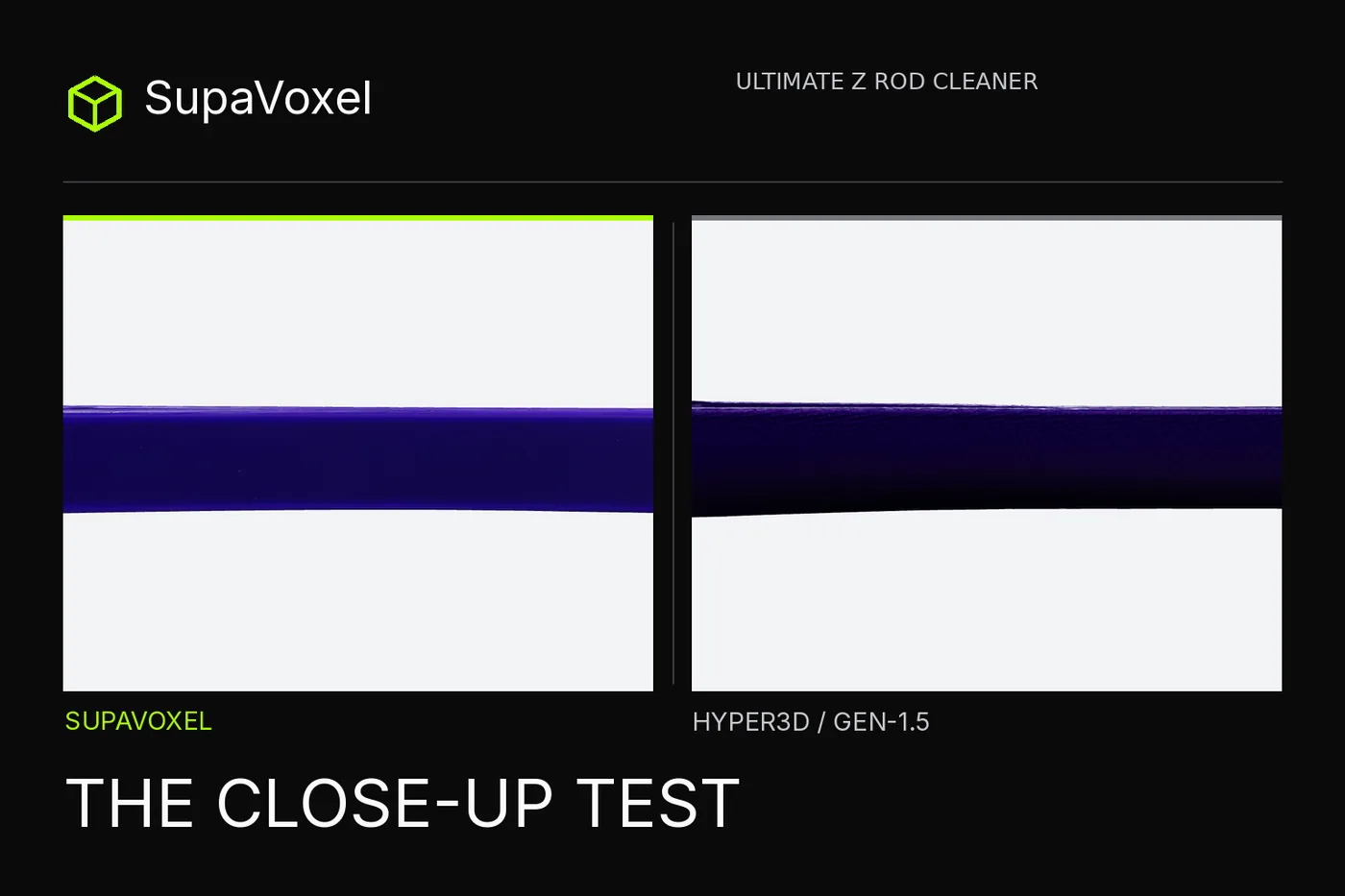
This is an independent test. Nothing here came from vendor access: both tools were used on my own free and paid accounts.
For an illustrative product-page scenario, the detail worth inspecting is not the clip's overall silhouette but the two U-shaped jaws and the purple finish around their tips. I zoomed into those features in the matched offline renders. One file showed a gray patch where the source picture stays purple—even though the mesh underneath might be sound.
I gave the same picture to Hyper3D and SupaVoxel, took the downloadable PBR files into the same offline viewer and checked those three visible features from matched angles. Hyper3D's inspected asset was Gen-1.5; the prettier-sounding Gen-2.5 preview on my Free account could not be downloaded.
My verdict in 60 seconds — SupaVoxel wins the purple appearance brief; Hyper3D Gen-1.5 wins the lightweight, cleaner-mesh brief. Hyper3D preserves both open jaws in its 10.72 MB PBR GLB but puts gray patches on their exterior. SupaVoxel keeps a more continuous purple finish and a finer line beside the slot in the matched views. Its measured 87.17 MB Original size browser-export GLB is 8.13× the size of Hyper3D's extracted standalone PBR member and has 412 nonmanifold edges. For an appearance-led design review, SupaVoxel is my pick; if the actual job is a compact asset to feed into print preparation, use Hyper3D's inspected Gen-1.5 file instead. Nobody tested either clip on a rod.
Eight paired checks for the pictured finish and actual files:
- Open jaws and slot — Hyper3D: two open U shapes and central slot · SupaVoxel: the same visible structures.
- Purple jaw continuity — Hyper3D: gray exterior patches · SupaVoxel: more continuous purple in matched renders.
- Handle-line detail — Hyper3D: rougher line · SupaVoxel: finer line, not a measured fit tolerance.
- Embedded textures — Hyper3D: three 2048² PNGs · SupaVoxel: three 4096² PNGs; no measured color-error score.
- Standalone hosted file — Hyper3D: 10.72 MB PBR · SupaVoxel: 87.17 MB Original size GLB, different tested export selections.
- Welded mesh — Hyper3D: zero nonmanifold edges · SupaVoxel: 412 requiring repair before solid-volume claims.
- Website download — Hyper3D: 17.54 MB ZIP · SupaVoxel: 87.17 MB GLB, both actually received.
- Unseen back fidelity — Hyper3D: no source back photo · SupaVoxel: no source back photo; both invented it.
A larger map does not mean truer color; the purple gap here is a render observation, not a measured albedo distance.
What can one purple reference photograph tell us?
Hyper3D and SupaVoxel received the same 1,529,736-byte generated image of a purple, slotted clip with two open U-shaped ends. The image supplies an appearance target but not a side, back or internal specification. The open ends are not a dimensioned drilled bore. That matters for interpreting close-ups: if one model makes a plausible unseen underside, there is no ground-truth underside in the source with which to declare it faithful. Our comparison uses matched offline camera angles for the exported textured assets, not a Hyper3D Gen-2.5 video or an interface thumbnail compared against a downloadable Hyper3D Gen-1.5 GLB. We reserve “looks like the pictured clip” for visible features only.
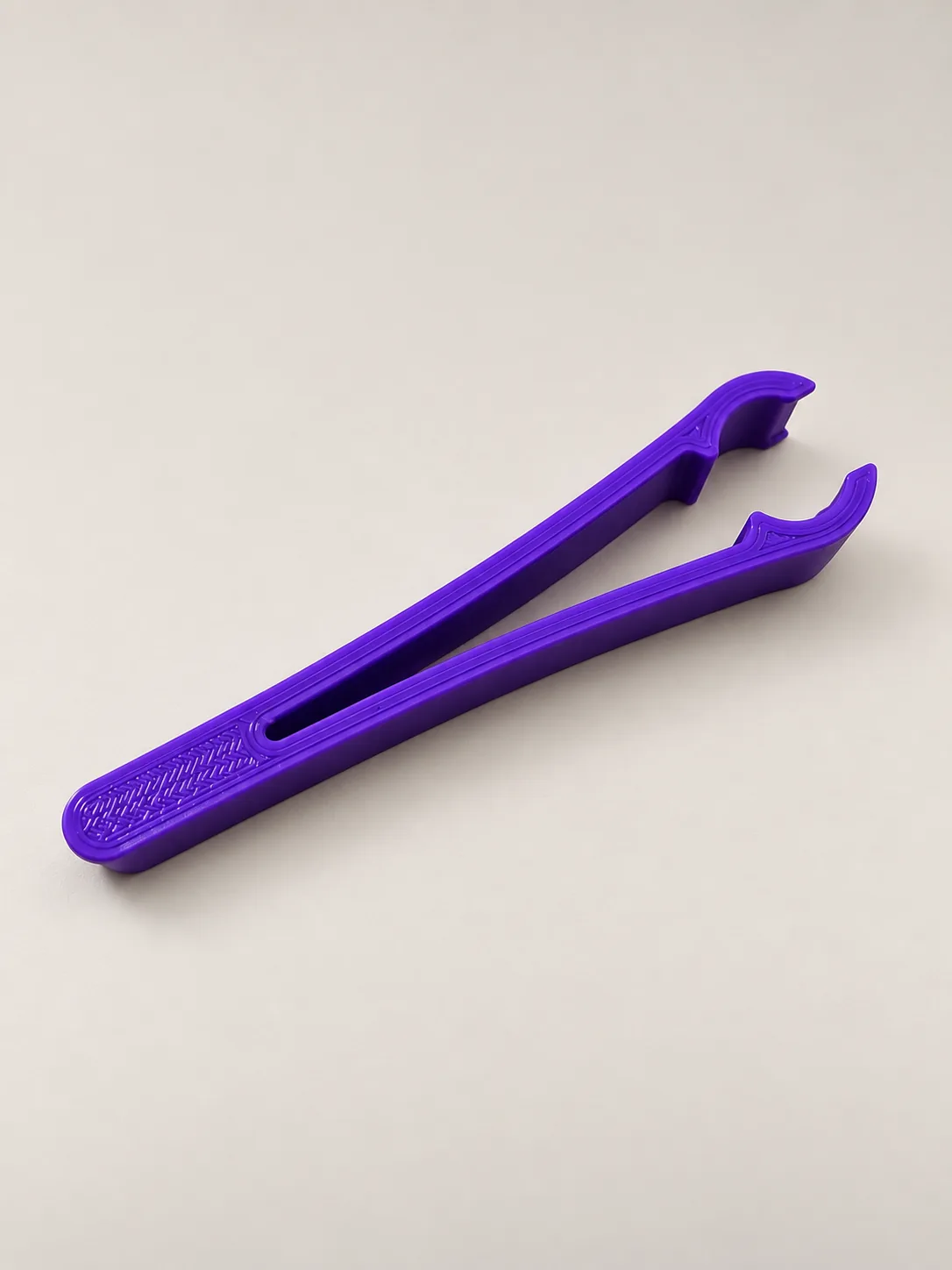
The single identical Hyper3D and SupaVoxel input shows the purple handle slot and two U-shaped jaw openings, without a second angle or physical scale.
Which clip looks ready for the product page?
In the main matched view, Hyper3D Gen-1.5 reconstructs an elongated clip with a central opening and distinct clamp ends. SupaVoxel also preserves those structures. The visible Hyper3D difference is finish: gray or dull bands sit on the outside of Hyper3D's near jaw while the SupaVoxel side is closer to continuous purple. That observation is about textured render appearance, not proof that polygons are absent under the gray paint. The compared Hyper3D model has 120,000 triangles and the SupaVoxel model 1,499,510; that 12.50× face-count difference cannot, by itself, isolate whether texture resolution, material prediction or geometry caused a shaded defect. Hyper3D's one-piece welded mesh is watertight, whereas the dense SupaVoxel mesh is non-solid under the measured topology check. Visual finish and mechanical mesh quality point in opposite directions here.
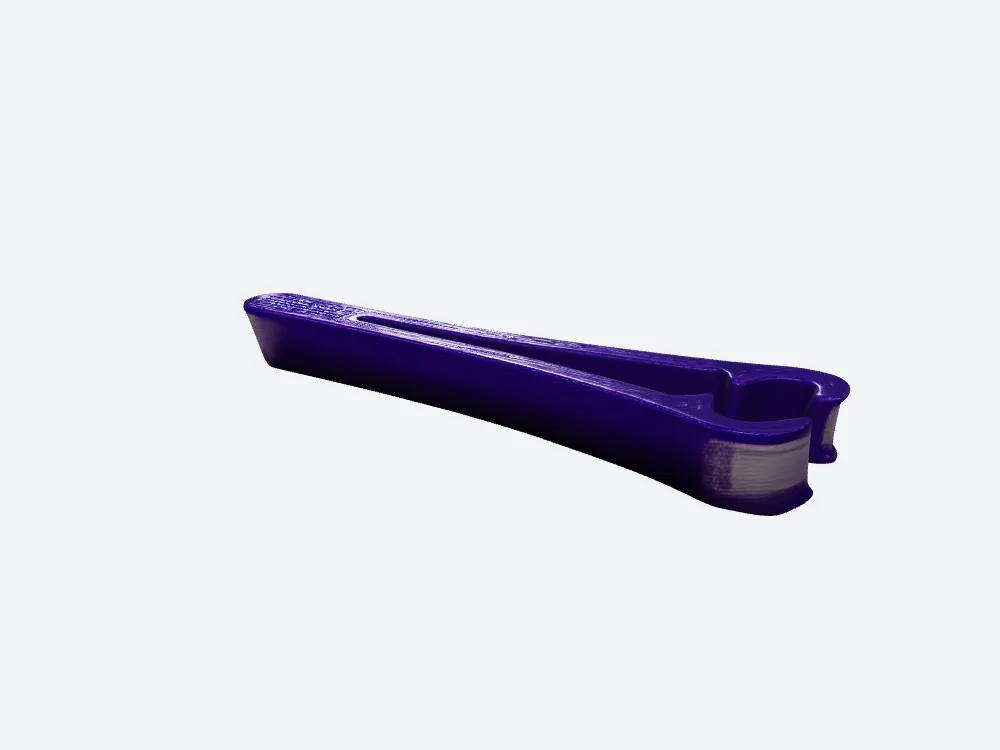
Hyper3D Gen-1.5 PBR hero render: overall jaws and slot survive, but a gray band crosses the nearer jaw exterior.
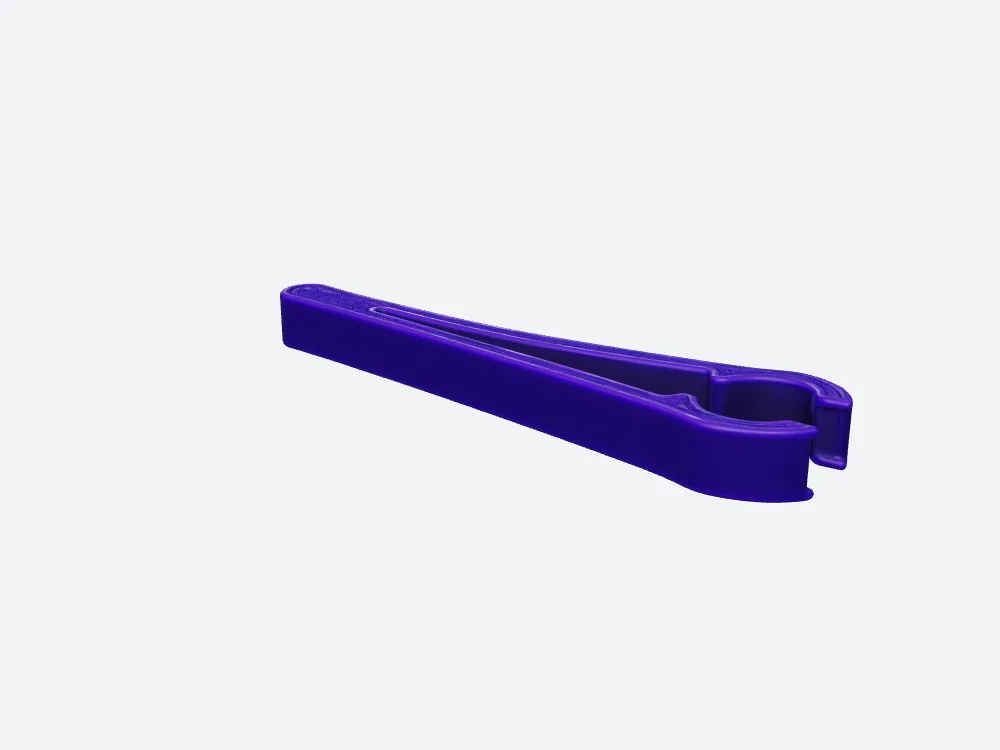
SupaVoxel's 1,499,510-face GLB looks more purple than Hyper3D in the matched hero view, but fails the solid-mesh topology check.
What happens when the customer inspects the jaws?
In a hypothetical product-page inspection, turning the clip toward its jaws would reveal what the hero frame hides. In our matched offline end view, the Hyper3D exterior has gray areas on both tips; SupaVoxel carries the purple around those same visible regions. Both keep the actual U openings. I can say SupaVoxel looks more continuous in these renders, but not how much closer its raw pigment is to the source: we measured no unlit albedo ΔE and the camera lighting can alter color. Nor will a prettier jaw close on the real rod by magic. Without the rod diameter and jaw clearance, the closer-looking model is a display favorite, not a functional winner.
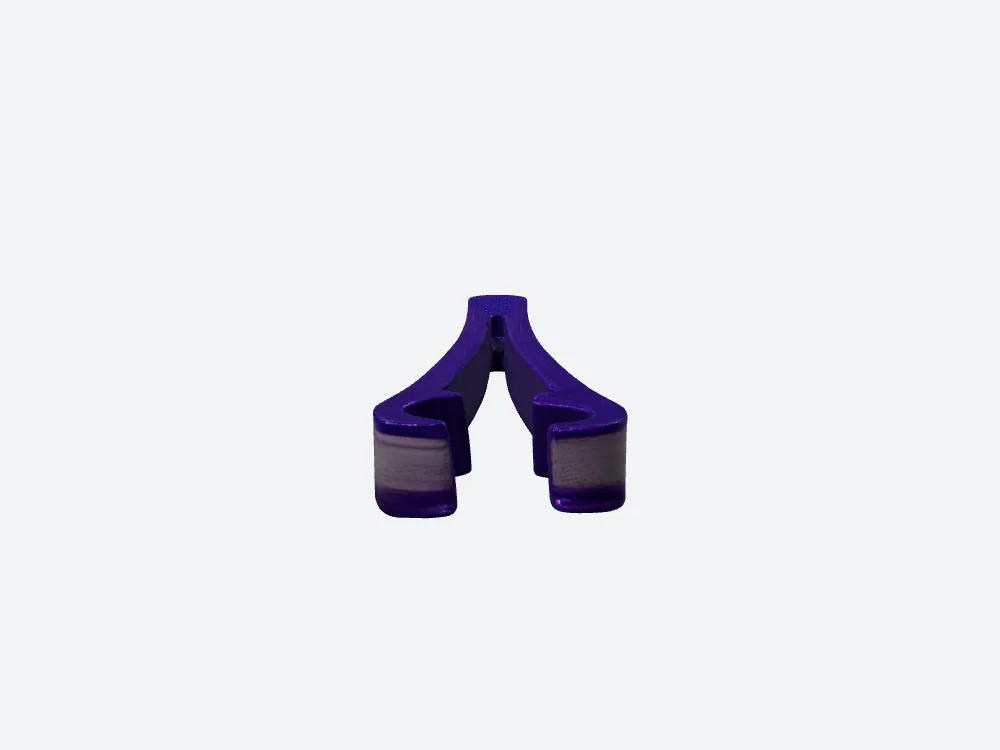
At the Hyper3D jaw end, two outside tips show gray areas; this view has no calibrated fit dimensions.
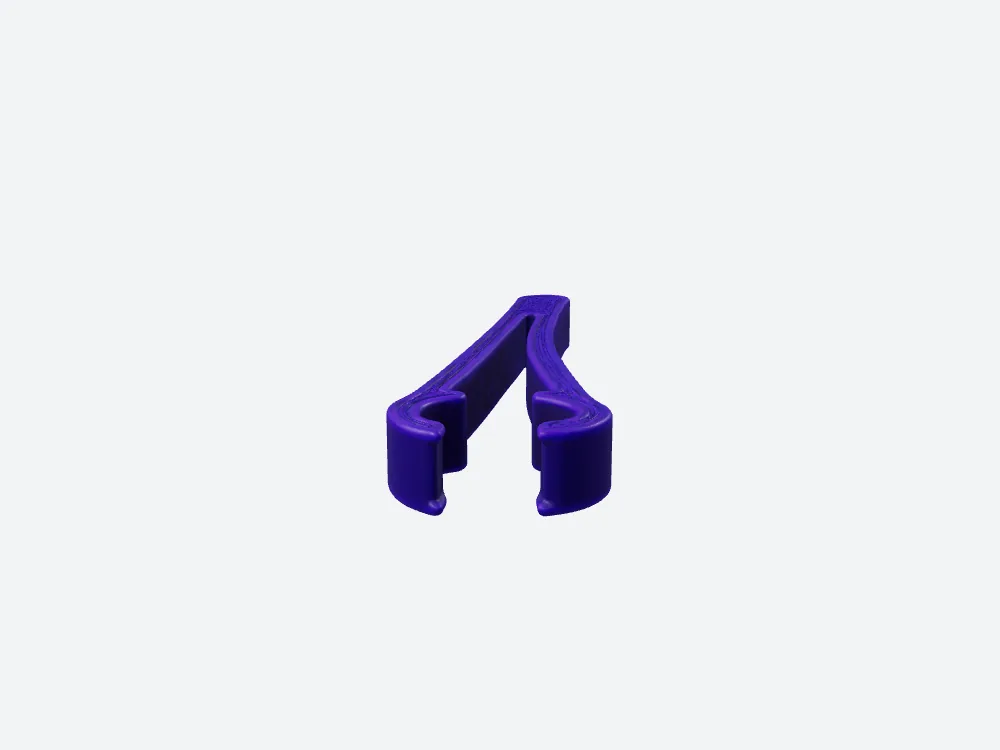
SupaVoxel's matched jaw-end view, against Hyper3D, keeps purple on the exterior, but its 412 nonmanifold edges remain.
Is a finer slot line also a better fit?
The top view shows both open end clamps, the long center slot and the shallow line along the handle in each result. SupaVoxel's line looks tidier; Hyper3D's surface pattern along the slot is rougher and its gray tip patches remain noticeable. The file analysis explains a possible representational difference without establishing a cause: Hyper3D holds 120,000 triangles; SupaVoxel 1,499,510, with average edge lengths after normalization of 0.4156 mm and 0.1157 mm respectively. But none of those averages measures the required gripping gap or the wall thickness at the two spring arms, and the dense asset is still nonmanifold. For a Hyper3D screenshot, the line is visible; for a print decision, measuring the mating geometry matters more.
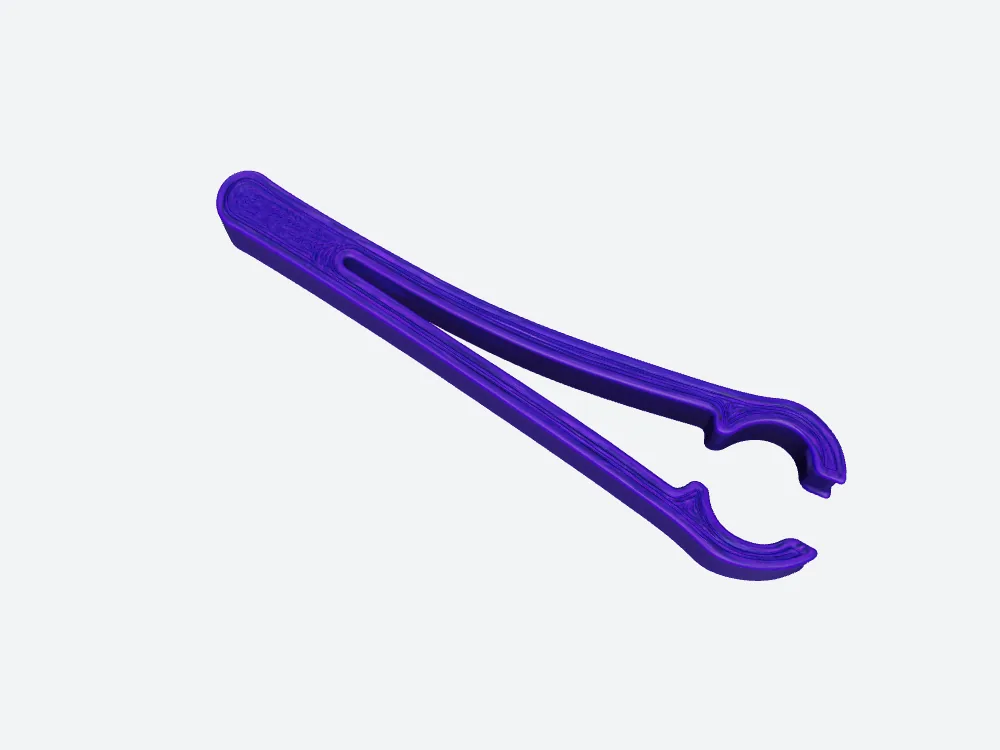
SupaVoxel's top view, next to Hyper3D, shows two open clamps and the long slot; 0.1157 mm is mean triangle-edge length, not jaw tolerance.
Is the download a ZIP, model or bare mesh?
There are three different Hyper3D sizes worth keeping separate. Its initial geometry-only GLB was 3,971,968 bytes and had no image maps; it is not comparable to a textured SupaVoxel export. After material generation and confirmation, the browser's real download was a 17,543,700-byte ZIP containing a 10,724,844-byte Hyper3D Gen-1.5 PBR GLB and a Shaded variant. The offline topology and texture measurements use the ZIP's PBR member. SupaVoxel's actual browser export was an 87,169,048-byte Original size GLB. Thus “website download” compares ZIP versus GLB, while “standalone hosted PBR asset” compares GLB versus GLB. Using 10.72 MB as the Hyper3D website download would understate transferred bytes; using 17.54 MB to calculate single-GLB hosting would overstate them.
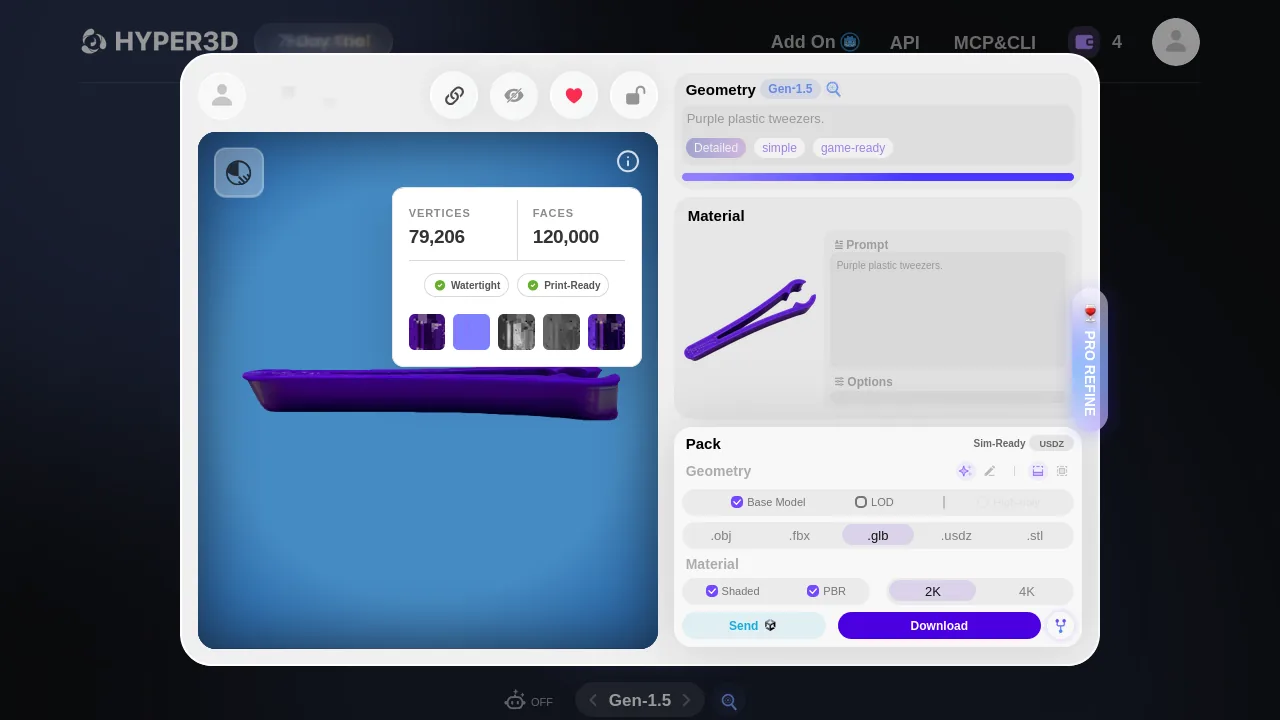
This completed Hyper3D Gen-1.5 PBR download returned a 17.54 MB ZIP; its one inspected PBR member is 10.72 MB.
What did the larger texture maps actually buy?
Both inspected PBR GLBs embed three PNG maps in one material. Hyper3D's maps are each 2048 × 2048, with a 3,018,326-byte baseColor map and 3,734,029 bytes combined normal and metallic/roughness maps. SupaVoxel's three are 4096 × 4096, with 15,634,800 bytes of baseColor and 25,279,748 bytes across the other two. Each larger image has four times as many pixels, not a measured fourfold gain in visible quality. We did not compute albedo ΔE, UV island utilization, seam distortion or same-device perceived resolution. Normal and metallic/roughness maps matter to rendered appearance; a single-color resin slicer ordinarily does not consume them to determine solid material volume. For that specific print workflow, most map bytes are not a substitute for topological repair.
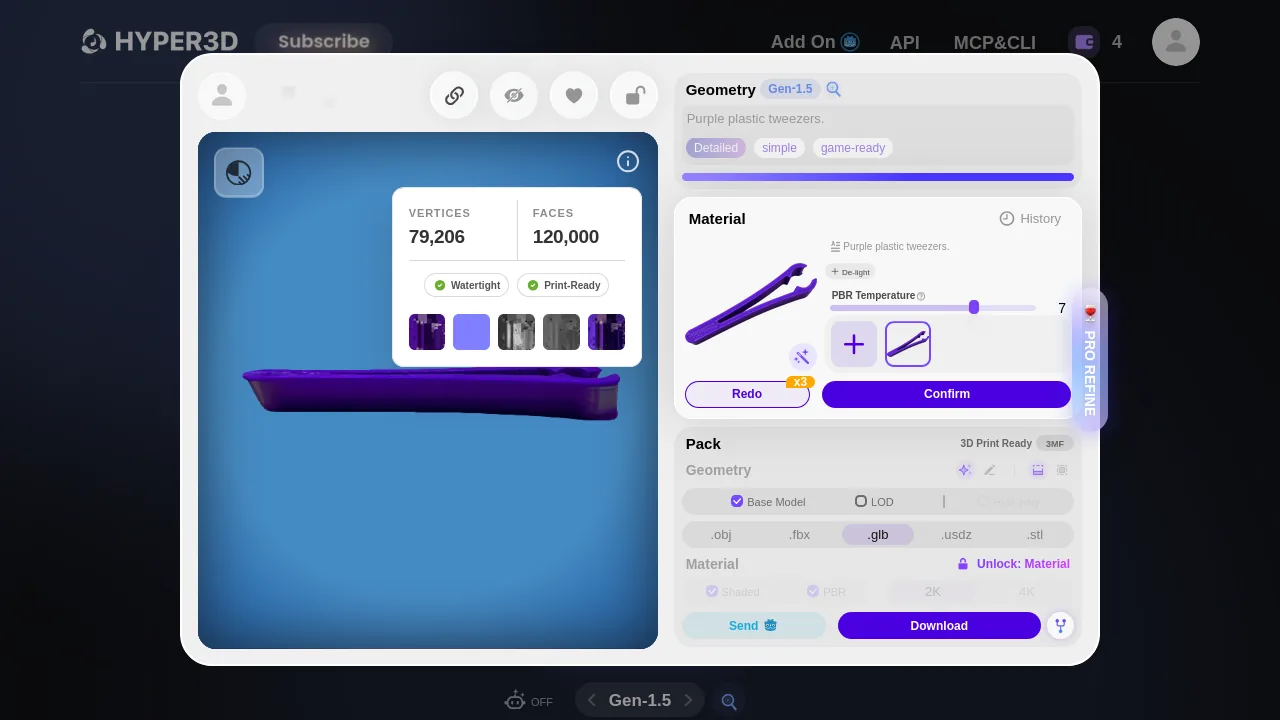
Hyper3D's material preview led to three 2048² PNG maps in the inspected PBR file; color-error and UV occupancy were not measured.
Could another export reverse the file-size result?
SupaVoxel's Export menu offered GLB → Compressed alongside GLB → Original size. We clicked and captured only Original size. That export is the 87,169,048-byte file in this article; the Compressed variant's byte count, reconstruction differences and visual finish were not captured. “Original size” is an interface label: the browser decodes and converts an underlying compressed representation before saving a GLB, so do not mistake this route for an untouched generation-chain master. The downloaded file is still a real browser-exported asset, not a local recreation assembled from separate web resources. This choice is crucial for any bandwidth conclusion. A smaller alternate export might change the transfer ranking or texture appearance; we cannot quantify it without downloading and examining that option.
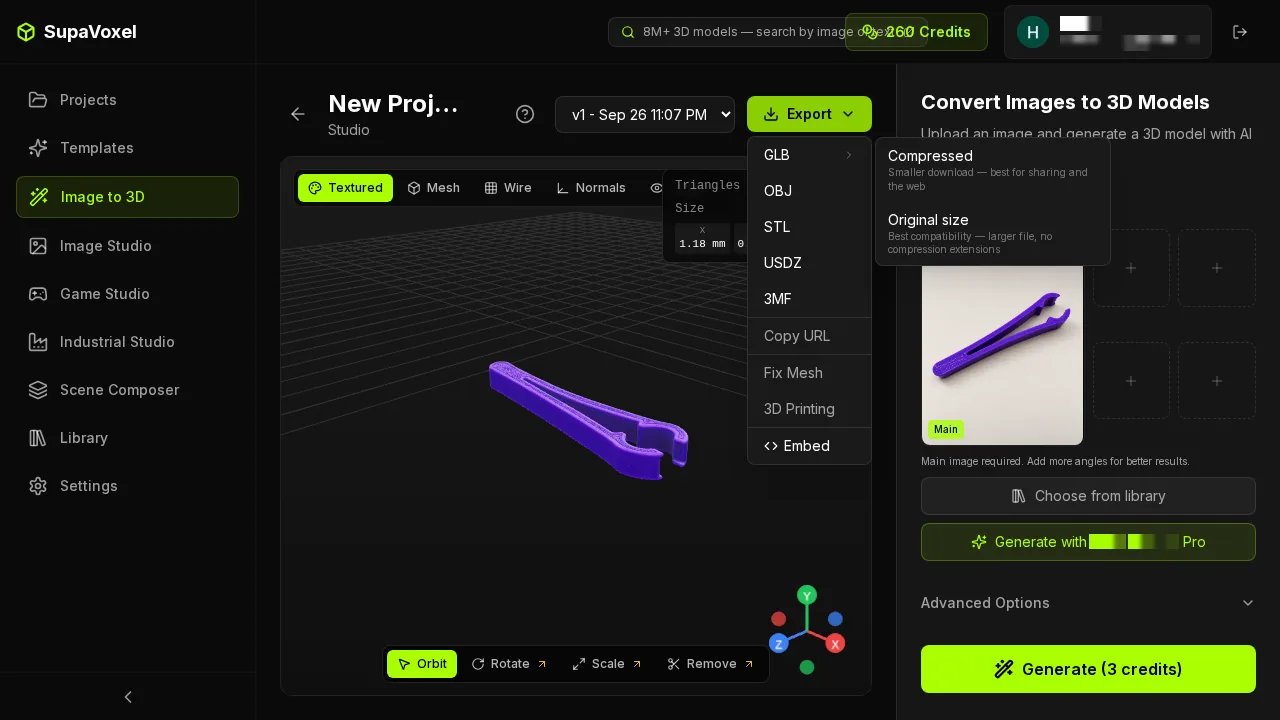
Only SupaVoxel Original size was measured against Hyper3D's ZIP; SupaVoxel Compressed has no recorded size in this test.
How long would each tested file take on a phone?
For the two actual website downloads—17,543,700-byte Hyper3D ZIP and 87,169,048-byte SupaVoxel GLB—ideal one-transfer minima at 12 Mbps are 11.7 and 58.1 seconds. At 100 Mbps, the minima are 1.4 and 7.0 seconds. This simple calculation excludes connection setup, headers, retries and client decoding. It is not a stopwatch of either website. A separate page embedding only the extracted PBR GLBs would instead transfer 10,724,844 versus 87,169,048 bytes, with 7.15 versus 58.11 seconds of ideal first-load time at 12 Mbps. Mixing the ZIP number into a hosted GLB table, or presenting a theoretical line-rate minimum as an actual observed download, would mislead a reader budgeting mobile data.
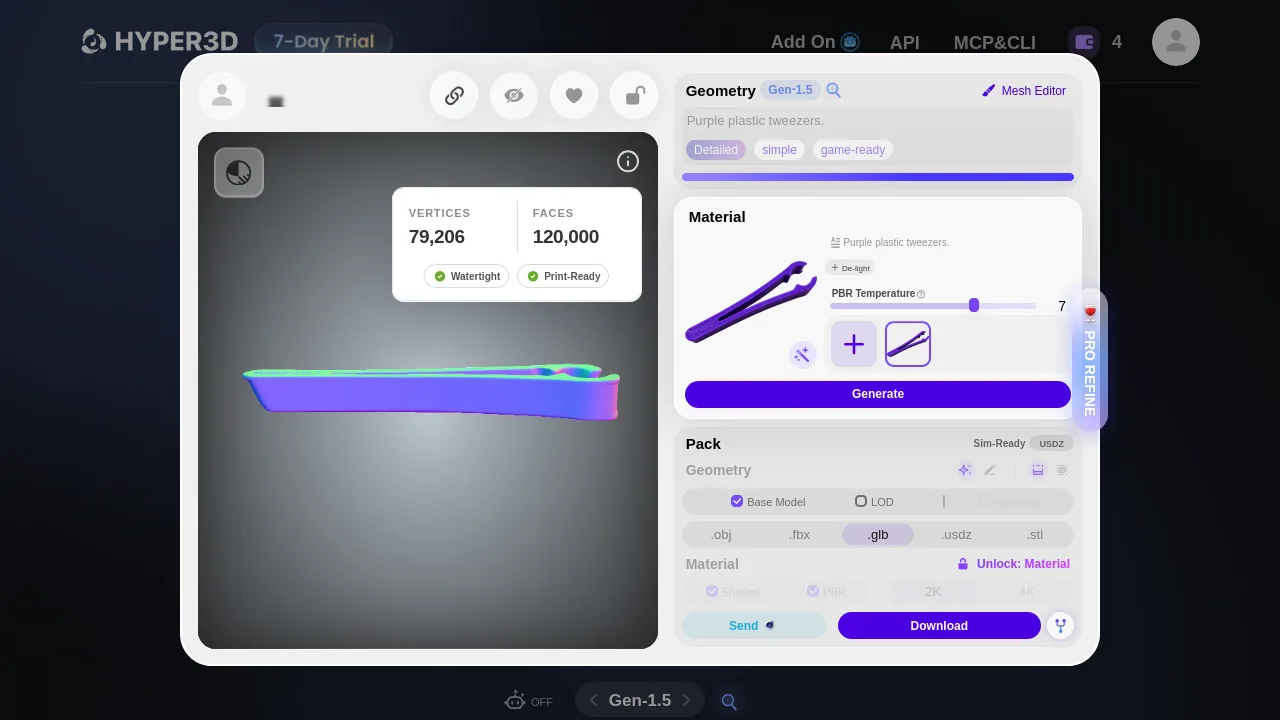
This earlier Hyper3D untextured geometry download is not the final ZIP; line-rate estimates must use the correct delivered file.
What happens at ten thousand model loads?
Imagine separately hosting the measured textured GLBs, one asset per page, then serving each in full 10,000 times with no cache. Using decimal GB and $0.085/GB, the source calculations give about $9.12 for Hyper3D's 10.72 MB PBR model and $74.09 for SupaVoxel's 87.17 MB GLB. At 100 copies of each individually hosted file, that's 1.0724844 versus 8.7169048 GB of assets. These Hyper3D and SupaVoxel numbers are scenario inputs, not a real CDN invoice or credits charged by either generation product. Another estimate, geometry-only GPU memory at 32 bytes per vertex plus four bytes per triangle index, gives 3.97 versus 46.25 MB, excluding textures. Smaller Hyper3D assets favor this web-display budget, not necessarily material appearance. Including textures, bytes per triangle are 89.37 for Hyper3D versus 58.13 for SupaVoxel; these are not codec-efficiency scores.
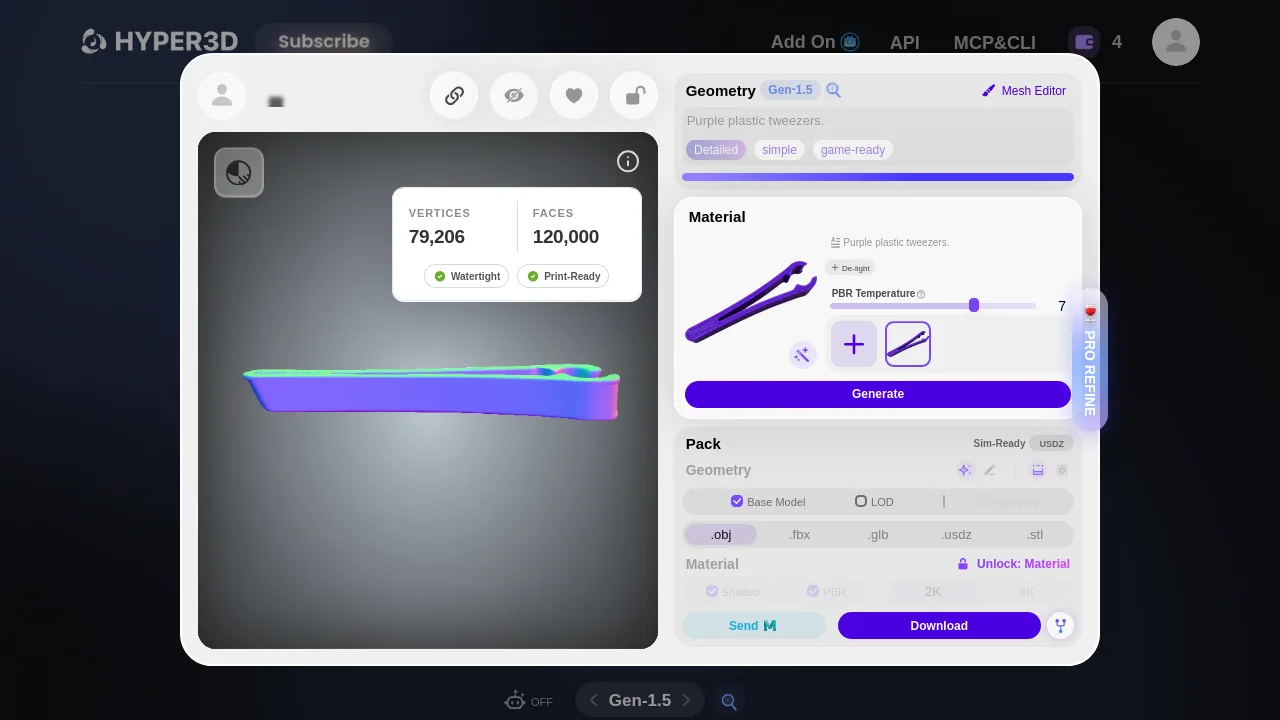
The Hyper3D UI and GLB agree on 120,000 triangles; 3.97 MB here is estimated geometry VRAM, not the PBR file size.
Final verdict: the purple finish wins the photograph, not the slicer
At matching render angles, the SupaVoxel clip reads closer to the visible purple jaw finish and keeps a fine line by the slot. Hyper3D's actual Gen-1.5 PBR has gray exterior patches where I expected purple, although it preserves both open U-shaped jaws and the long opening. For an illustrative appearance-first listing I would show the SupaVoxel render; that is a visual preference, not a physical-use verdict.
SupaVoxel predicts a smoother reverse; the source has no reverse photo to corroborate it.
The price of that appearance in our tested export choices is a real 87.17 MB Original size SupaVoxel browser file against a 17.54 MB Hyper3D browser ZIP containing a 10.72 MB PBR GLB. Hyper3D also wins mesh cleanliness, zero nonmanifold edges to 412; the SupaVoxel file is not a validated solid, so no resin volume may be quoted for it. SupaVoxel's unmeasured Compressed choice might narrow the byte gap, but we cannot assign it a size. If the next stop is a slicer or a bandwidth-limited product viewer, the Hyper3D Gen-1.5 file is the sensible starting point. Visual fidelity to the hidden back and actual rod fit remain unknown on both.
Use SupaVoxel for this job
If you are showing a purple design concept and can review the geometry before manufacturing, SupaVoxel gives you the more continuous purple jaws in these paired renders, a finer slot line and an actual Original size GLB. Inspect its mesh and repair the 412 nonmanifold edges before making functional-print or solid-volume claims. If the client needs a compact, cleaner mesh right away, choose Hyper3D's Gen-1.5 PBR result instead.
How I tested this
The same independently generated 1,529,736-byte PNG went to both applications. Hyper3D Free let me download Gen-1.5 as a ZIP with the 10,724,844-byte measured PBR member; its separate Gen-2.5 run displayed a preview but no Free download. SupaVoxel's measured 87,169,048-byte GLB was captured from its actual Original size browser action, not rebuilt offline. Its offered Compressed choice was not measured. Offline renders used the same lighting and camera numbers; there was no unlit region-specific ΔE, UV-occupancy test or second photo of the back. At 120 mm longest bounding-box side, not height, each downloadable file was parsed and welded across UV seams before topology checks. The 12 Mbps/100 Mbps download seconds and $0.085/GB uncached hosting costs are arithmetic scenarios, not measured user wait or provider fees. We did not measure jaw clearance, rod diameter, arm flexibility, slice success or real print results.
Originally published on Medium: Hyper3D GLB Review 2026: Gray Jaw Patches on a 10.72 MB File.